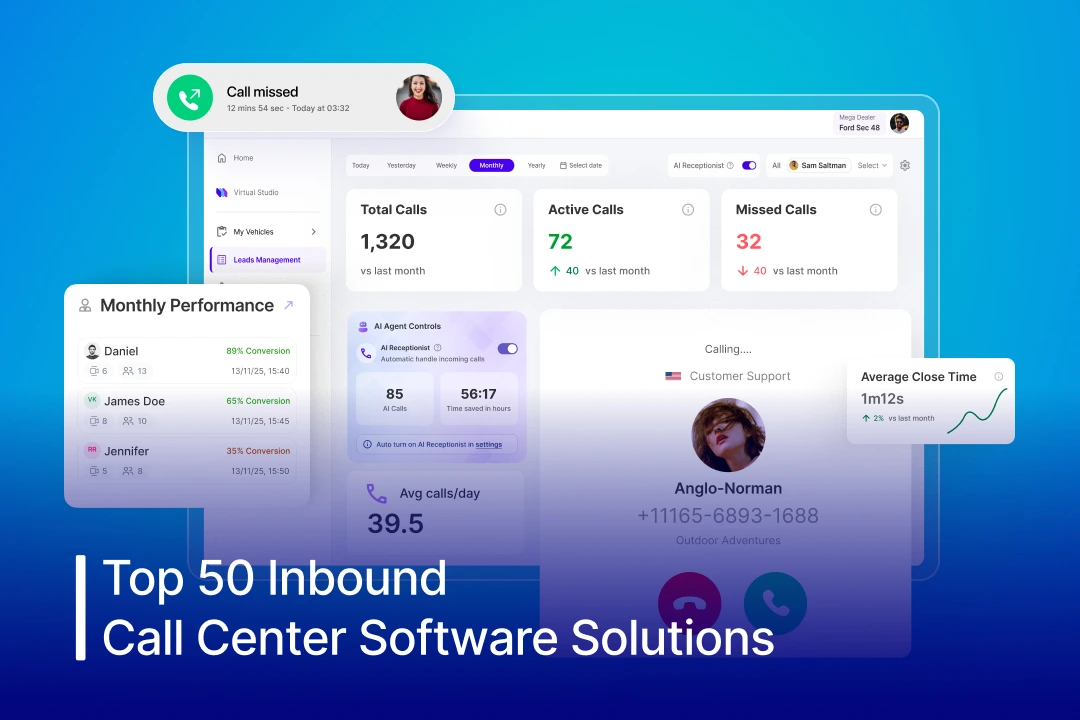

Many businesses struggle with inbound call handling efficiently, which often leads to frustrated customers and lost opportunities. Long wait times, high call volumes, and agents lacking context about previous interactions reduce customer experience. This is why having an inbound call center software is essential for businesses to scale and grow while delivering an enhanced customer experience.
It automates inbound calls for businesses using IVR and conversational AI to deliver instant and personalized responses, meeting customer expectations. In this blog, we will discuss how inbound call center software actually helps businesses overcome these challenges. Together, you will get to learn about top inbound cloud call center solutions & how to pick the right solution for your business. So let’s delve into the blog ASAP and explore it to unlock numerous growth opportunities for your business.
What is Inbound Call Center Software?
Inbound call center software is a cloud-based technology that enables the support team to manage, receive, route, and analyze incoming customer calls efficiently. Further, using AI-driven capabilities like Interactive Voice Response (IVR) and intelligent call routing, businesses can streamline support operations, minimize wait times, and deliver a smoother, more responsive customer experience. It allows your team to access customer information, track support tickets, and gain valuable insights through AI analytics.

Inbound Call Center Software Comparison Chart
| Software | Starting Price | Free Trial | Key Features |
| 1. Spyne AI | Customizable as per plan
(Contact Spyne) |
Not Included | AI call routing, AI virtual agents, Real‑time analytics, AI call summaries, CRM integration |
| 2. Dialpad Support | From $15/user/month | 14 days | Smart routing, AI‑powered sentiment, Live transcription |
| 3. RingCentral Contact Center | From $20/user/month | Unavailable | Advanced call queuing, Omnichannel support, CRM integrations |
| 4. Zendesk Talk | From $55/user/month | 14 days | Call recording, IVR call routing, Automatic ticket creation |
| 5. NICE CXone | From $71/user/month | 60 days | Workforce management, IVR, AI analytics |
| 6. Five9 | From $119/user/month | Unavailable | Predictive routing, CRM integration, Call recording |
| 7. Nextiva | From $20/user/month | Unavailable | Skills‑based routing, Automatic call distribution, SMS integration |
| 8. CallHippo | From $18/user/month | 10 days | Multi‑level IVR, Call logs, Call recording |
| 9. Freshdesk Contact Center | Contact Freshdesk | 14 days | Smart queues, Voicemail tracking, SMS integration |
| 10. JustCall | From $29/user/month | 14 days | Advanced IVR, CRM integration, Call analytics |
| 11. LiveAgent | From $15/agent/month | 30 days | Omnichannel support, IVR, Real‑time monitoring |
| 12. Aircall | From $30/license/month | 7 days | Call queues, Whisper/barge, CRM & helpdesk integration |
| 13. 8×8 Contact Center | Contact 8X8 | Unavailable | Intelligent routing, Voice & SMS, Real‑time dashboards |
| 14. Zoho Desk Voice | From $7/user/month | 15 days | IVR, Sentiment tracking, Call logs |
| 15. Talkdesk | From $85/user/month | Unavailable | AI routing, Workforce tools, Analytics dashboards |
| 16. Intercom Voice Support | From $29/user/mo | 14 days | Unified voice & chat, Contact history context, Call metrics |
| 17. Zoom Contact Center | From $69/user/mo | Integrated VoIP, Queue management, Call recording | |
| 18. Sprinklr Service | Contact Sprinklr | Unavailable | Contextual multi‑channel routing, Callback workflows, Analytics |
| 19. Intermedia Unite | From $27.99/user/month | Unavailable | Intelligent routing, Voicemail transcription, Team messaging |
| 20. CTM (CallTrackingMetrics) | From $79/month | 14 days | Marketing call tracking, Custom flows, Reporting |
| 21. GoToConnect Contact Center | From $26/user/month | 14 days | Drag‑and‑drop call flows, Dashboard reports, Multi‑device support |
| 22. Net2Phone uContact | Contact Sales | Unavailable | Skills routing, Unlimited inbound calling, API workflows |
| 23. Ooma Contact Center | From $20/user/month | Unavailable | Intelligent routing, Voicemail transcription, Ring groups |
| 24. Freshservice Contact Center | From $19/agent/month | 14 days | IVR/ticket automation, Call tagging, Reporting |
| 25. VICIdial | Free (Open Source) | Unavailable | Open‑source IVR/queuing, Multi‑site routing, CRM plugins |
| 26. LiveVox Inbound Center | Contact Sales | Unavailable | Compliance controls, IVR & queuing, Analytics |
| 27. Cisco Unified Contact Center | Contact Sales | Unavailable | Skills‑based routing, Monitoring dashboards, Agent tools |
| 28. Avaya OneCloud CCaaS | From $35/user/month | Unavailable | AI call routing, Call recording, Quality management |
| 29. Amazon Connect | Pay‑as‑you‑go | 12 months (Free Tier) | Lex‑powered IVR, Predictive routing, AWS analytics |
| 30. Convin AI | Contact Sales | 14 days | Live agent coaching, Sentiment analysis, Call insights |
| 31. RingOver | From $21/user/month | 7 days | Call routing, CRM integrations, Analytics reports |
| 32. LivePerson | Contact Sales | 45 days | AI call handling, Multi‑channel support, Conversation analytics |
| 33. 3CX | $350/year | 60 days | Multi‑level IVR, Call queuing, Callback scheduling |
| 34. Convoso | From $90/user/month | Available | AI call routing, Call scripting, Performance analytics |
| 35. CloudCall | From $10/user/month | 14 days | CRM‑integrated calling, Smart routing, Call reporting |
| 36. Ring.io | From $69/user/month | 14 days | Click‑to‑call, Automatic CRM logging, Analytics |
| 37. Velocify | From $60/user/month | Unavailable | Lead scoring, Intelligent routing, Call tracking |
| 38. UJET | From $65/user/month | Unavailable | AI‑based routing, Omnichannel support, Mobile agent apps |
| 39. Talkroute | From $19/month | 7 days | Auto‑attendant, Call forwarding, Voicemail transcription |
| 40. CloudTalk | From $19/user/month | 14 days | AI IVR, Multi‑channel support, Real‑time analytics |
| 41. BIGContacts | From $5/user/month | 15 days | Contact CRM integration, Call routing, Call history |
| 42. HubSpot Service Hub VoIP | Free (Basic tools) | Unavailable | Automatic call logging, Ticket creation, Call analytics |
| 43. Vonage Contact Center | From $20/line/month | 14 days | AI Virtual Assistant, Dynamic CRM Routing, AI Analytics |
| 44. HappyFox Contact Center | Contact Sales | 14 days | IVR routing, SLA tracking, Performance dashboards |
| 45. Dialpad AI | From $15/user/month | 14 days | AI Recaps & Transcription, Live Agent Assistance, Predictive AI CSAT |
| 46. Genesys Cloud CX | From $75/user/month | 30 days | Smart IVR, Real‑time analytics, Workforce optimization |
| 47. Aspect Via | Contact Sales | 30 days | AI workflows, Skills‑based routing, Reporting |
| 48. Squaretalk | From $15/user/month | Available | Visual Call Flow Builder, automated routing, AI Sentiment Analysis |
| 49. Twilio Flex | Pay‑as‑you‑go | trial credits available | Programmable call flows, AI routing, CRM integration |
| 50. Kustomer (by Meta) | From $89/user/month | 14 days | Contextual call routing, CRM integration, AI workflows |
50 Best Inbound Call Center Software Solutions in 2026
1. Spyne AI
Spyne AI is an AI‑powered inbound call center platform that streamlines all incoming customer interactions. It intelligently routes calls, automates repetitive queries, and equips agents with real-time guidance, boosting efficiency and first-call resolution. With AI analytics and sentiment tracking, Spyne ensures businesses deliver exceptional customer experiences every time.
Key Features:
- Intent-based call routing for precise handling
- AI virtual agents for automated responses
- Real-time agent assists with live suggestions
- Automated conversation summaries for CRM
- Sentiment and emotion analysis
- Omnichannel integration (voice, chat, SMS)
- Custom workflow builder for no-code automation
- Analytics dashboards with actionable insights
2. Dialpad Support
Dialpad Support uses AI to enhance inbound call handling with live transcriptions, sentiment analysis, and coaching. It helps businesses respond faster and resolve customer issues efficiently. Its cloud-first design ensures scalability for small to large teams.
Key Features:
- Automatic call transcription
- AI-powered sentiment monitoring
- Smart call routing
- Real-time agent assist
- Integration with CRM and helpdesk tools
3. RingCentral Contact Center
RingCentral delivers an omnichannel inbound call solution with easy-to-use dashboards and robust CRM integrations. It empowers teams to handle high call volumes efficiently while monitoring agent performance. Businesses can scale operations without adding complexity.
Key Features:
- Advanced call routing and queuing
- Omnichannel communication support
- CRM integration (Salesforce, Zendesk, etc.)
- Queue callback functionality
- Real-time analytics and reporting
4. Zendesk Talk
Zendesk Talk integrates inbound voice calls directly into your support workflow, providing a unified agent experience. It simplifies ticket creation and gives teams a complete view of the customer. Real-time monitoring helps maintain service quality.
Key Features:
- Call recording and monitoring
- Automatic ticket creation
- IVR call routing
- Real-time dashboards and reporting
- Integration with Zendesk Suite
5. NICE CXone
NICE CXone is a cloud contact center platform designed for enterprise inbound management. It optimizes call flows, workforce scheduling, and analytics for a better customer experience. AI-driven automation reduces manual tasks and improves response times.
Key Features:
- Universal queue management
- Interactive Voice Response (IVR)
- Workforce management tools
- AI-powered analytics
- Self-service voice automation
6. Five9
Five9 provides a flexible call center inbound software suitable for large teams and enterprise environments. It focuses on enhancing productivity with intelligent routing and AI insights. Advanced reporting helps track performance and customer satisfaction.
Key Features:
- Predictive and skills-based routing
- Blended inbound/outbound calling
- Agent desktop with CRM integration
- Call recording and quality monitoring
- Real-time dashboards
7. Nextiva
Nextiva offers a cloud-based inbound call center software solution that’s easy to set up and manage. Its analytics and routing tools help businesses respond quickly to customer queries. The platform is scalable for both SMBs and enterprise teams.
Key Features:
- Priority and skills-based call routing
- Automatic call distribution (ACD)
- Simple IVR setup
- SMS and voice integration
- Call analytics dashboard
8. CallHippo
CallHippo is an SMB-focused inbound call center software that emphasizes simplicity and speed. It supports global numbers, multi-level IVRs, and real-time monitoring for enhanced call management. Quick onboarding makes it ideal for growing businesses.
Key Features:
- Multi-level IVR builder
- Call logs and history
- Real-time call analytics
- Call recording
- International phone numbers
9. Freshdesk Contact Center
Freshdesk Contact Center provides cloud-based inbound call management designed for growing teams. Its intuitive interface helps agents respond efficiently while supervisors track performance. Integration with Freshdesk CRM improves customer context.
Key Features:
- Smart call queues
- Voicemail and missed call tracking
- Call transfer and escalation
- SMS integration
- Performance analytics
10. JustCall
JustCall offers a flexible inbound platform with powerful CRM integrations. It allows teams to automate routine tasks while maintaining high-quality customer interactions. Global calling and reporting features make it suitable for distributed teams.
Key Features:
- Advanced IVR setup
- AI call intelligence
- CRM integration
- Call analytics and reporting
- Call recording
11. LiveAgent
LiveAgent combines voice, chat, and email in a single platform for seamless inbound support. Its omnichannel approach ensures no customer query goes unanswered. The platform also offers video calls and real-time monitoring.
Key Features:
- Omnichannel support (voice, chat, video)
- IVR and call routing
- Call recording
- Real-time agent monitoring
- Detailed reporting
12. Aircall
Aircall is a cloud‑native inbound call center solution built for teams that want fast setup and intuitive call handling. It supports shared call management, real‑time monitoring, and easy CRM integrations for better context on inbound customers. Its user‑friendly approach makes training and deployment simple for fast‑growing teams.
Key Features:
- Power dialer and call queues
- Advanced call monitoring (whisper/barge)
- IVR and skill‑based routing
- CRM and helpdesk integrations
- Real‑time analytics and reporting
13. 8×8 Contact Center
8×8 Contact Center provides inbound voice routing with smart reporting and analytics alongside XCaaS capabilities. It’s suitable for businesses that want unified communications built into their inbound support workflows. Its platform scales for mid‑to‑large organizations.
Key Features:
- Intelligent call routing
- Omnichannel voice & texts
- Real‑time dashboards
- Analytics insights
- Call recording
14. Zoho Desk Voice
Zoho Desk’s call center inbound software capabilities enhance customer support by integrating voice calls seamlessly into the service desk experience. It combines call routing with sentiment and context tracking for more human conversations. The platform is adaptable for SMBs wanting unified support channels.
Key Features:
- IVR and call distribution
- Sentiment analysis
- Ticket link‑ups for voice calls
- Call logs and history
- Reporting tools
15. Talkdesk
Talkdesk is a cloud contact center focused on AI‑driven inbound performance, with customizable workflows and automation. It enables advanced routing based on skills, priority, or customer data and integrates with major CRMs. The platform also supports quality management tools that uplift service consistency.
Key Features:
- AI‑powered routing
- IVR with multi‑level menus
- Workforce engagement tools
- Analytics & reporting dashboards
- CRM integration
16. Intercom Voice Support
Intercom adds inbound call center software capabilities to its broader conversational CX platform. It merges calls with chat, email, and app interactions for a connected experience. Teams can route calls intelligently based on customer profiles and real‑time context.
Key Features:
- Unified voice & chat routing
- Contact history context
- Custom call greetings
- Self‑service options
- Reporting and performance metrics
17. Zoom Contact Center
Zoom’s inbound contact center software layers voice support into its unified communications suite. Excellent for distributed teams already using Zoom for meetings and messaging, it simplifies incoming call flows with familiar tools. Call handling and routing sync with presence status and calendar insights.
Key Features:
- Integrated VoIP and call handling
- Queue management
- Live agent monitoring
- Call recording
- Dashboard analytics
18. Sprinklr Service
Sprinklr’s inbound contact center software manages inbound calls alongside digital channels with contextual routing based on customer journey data. Its strength lies in blending voice with social and messaging conversations to give support teams a unified context. Designed for enterprise customers with complex omnichannel needs.
Key Features:
- Contextual multi‑channel routing
- Omnichannel dashboard
- AI‑powered insights
- Callback and queue workflows
- Integration with CRM data
19. Intermedia Unite
Intermedia’s inbound solution combines voice support with UCaaS features like messaging and conferencing, tailored for SMB contact centers. Fast setup and simple call controls make inbound calling reliable and predictable. The platform also offers security and compliance built in.
Key Features:
- Intelligent call routing
- Voicemail transcription
- Multi‑site support
- Team messaging
- Reporting dashboards
20. CTM (CallTrackingMetrics)
CTM specializes in tracking and routing inbound calls tied to marketing campaigns, giving teams visibility into which channels drive calls and conversions. It’s ideal for inbound support that’s tightly linked to campaign performance. The platform also provides automation and call flow customization tools.
Key Features:
- Marketing call tracking
- Custom call flows
- Call routing and queuing
- Reporting and analytics
- Integration with marketing tools
21. GoToConnect Contact Center
GoToConnect offers inbound call center software workflows with drag‑and‑drop call flow editors for teams that want easy customization. Its centralized interface helps supervisors monitor queues and performance live. Great for mid‑sized teams needing simple yet flexible inbound routing.
Key Features:
- IVR call flows
- Custom queue management
- Dashboard reports
- Voicemail and transfer controls
- Multi‑device support
22. Net2Phone uContact
Net2Phone’s inbound solution provides unlimited calling to many regions with workflow tools and open APIs for automation. It focuses on scalability and flexibility for support teams handling high volumes. The platform integrates into existing CRMs and business apps.
Key Features:
- ACD with skills routing
- Unlimited inbound calling
- API for custom workflows
- Call recording
- Analytics dashboard
23. Ooma Contact Center
Ooma delivers an accessible inbound call center option with clear call routing and virtual receptionist features. Designed for SMB support teams, it balances essential call capabilities with cost‑effective pricing. Ooma includes mobile and desktop apps for flexible work setups.
Key Features:
- Intelligent call routing
- Voicemail transcription
- Call parking
- Ring groups
- Reporting insights
24. Freshservice Contact Center
Freshservice’s inbound capabilities link ITSM workflows with voice support, helping service teams handle calls alongside tickets. It’s useful for organizations where inbound calls often translate directly into service requests. Automation reduces manual ticket creation.
Key Features:
- IVR & ticket automation
- Call tagging and notes
- Service level tracking
- Reporting dashboard
- CRM integration
25. VICIdial
VICIdial is an Inbound call center software free and offers a fully open‑source contact center platform that supports inbound call routing, queuing, and CRM connectivity. It’s a cost‑effective choice for technically capable teams that want customization. Strong community support and flexible workflows make it adaptable.
Key Features:
- Open‑source customization
- IVR and call queuing
- Reporting and logs
- Multi‑site routing
- CRM plugins
26. LiveVox Inbound Center
LiveVox focuses on regulated industries and compliance‑heavy inbound support with advanced call tracking and quality tools. Its inbound suite supports complex workflows and historical reporting needed for performance and audits. Great for healthcare, finance, and insurance teams.
Key Features:
- Compliance workflow controls
- IVR & queuing
- Agent performance analytics
- Quality monitoring
- Secure integrations
27. Cisco Unified Contact Center
Cisco’s inbound solution brings the power of enterprise infrastructure with advanced routing and call handling tools. It’s appropriate for large organizations with existing Cisco ecosystems. The platform scales and integrates deeply with network and collaboration tools.
Key Features:
- Advanced IVR
- Skills‑based routing
- Monitoring dashboards
- Agent tools suite
- Reporting and analytics
28. Avaya OneCloud CCaaS
Avaya’s inbound cloud contact center blends AI routing and cloud telephony for efficient inbound call handling. It supports custom workflows and analytics for high‑volume teams. Security and reliability are core parts of the offering.
Key Features:
- AI call routing
- Call recording
- IVR with automation
- Workforce reporting
- Quality management
29. Amazon Connect
Amazon Connect is an inbound cloud contact center with flexible pricing and powerful Lex AI integration for smart IVR and self‑service flows. It’s highly programmable via APIs and scales with traffic demand. Integration with AWS analytics tools gives deep insights.
Key Features:
- Lex‑powered IVR
- Pay‑as‑you‑go pricing
- Predictive routing tools
- Integration with AWS analytics
- Real‑time dashboards
30. Convin AI
Convin AI is focused on real‑time agent coaching and performance analytics, transcribing and analyzing inbound calls for quality improvement. Built for support teams that want deep coaching and compliance insights from every conversation. Its analytics tools help elevate CX consistently.
Key Features:
- Live agent coaching
- Real‑time call insights
- Automated quality metrics
- Sentiment analysis
- Performance dashboards
31. RingOver
RingOver provides a call center inbound software with simple workflows and flexible phone routing designed for small teams. It integrates with popular CRMs and includes call tracking and analytics for performance insights. Its focus is on ease of use and quick deployment.
Key Features:
- Call queues and routing
- CRM integrations
- Voicemail and forwarding
- Analytics reports
- Multi‑device support
32. LivePerson
LivePerson is a conversational AI platform that handles inbound calls, chats, and messaging in one interface. It emphasizes AI-powered routing and automated customer interactions for faster resolutions. Enterprises use it to reduce agent workload while maintaining high-quality support.
Key Features:
- AI-powered routing and call handling
- Multi-channel support (voice, chat, messaging)
- Real-time agent assist
- Conversation analytics
- CRM and platform integrations
33. 3CX
3CX is a versatile inbound call software ideal for remote teams and SMBs. It offers call queuing, IVR menus, and callback options, making it easy to manage high call volumes. The platform is browser-based and mobile-friendly, reducing infrastructure costs.
Key Features:
- Multi-level IVR
- Call queuing and routing
- Callback scheduling
- Agent monitoring and reporting
- Mobile and desktop apps
34. Convoso
Convoso offers a hybrid inbound-outbound solution with AI-based call routing and lead management. It’s suited for sales and support teams seeking automated workflows. Detailed analytics and scripting tools help agents improve call effectiveness.
Key Features:
- AI call routing
- Custom call scripts
- CRM integration
- Performance analytics
- Call recording
35. CloudCall
CloudCall integrates voice into CRM platforms, making call management seamless through an inbound cloud contact center. It offers call logging, routing, and reporting within the CRM interface. Teams benefit from streamlined workflows and improved agent productivity.
Key Features:
- CRM-integrated calling
- Call logging and tracking
- Smart call routing
- Reporting and dashboards
- Call recording
36. Ring.io
Ring.io is a sales-focused predictive dialer software call center inbound that combines VoIP with CRM integration. It automates call logging and routing to improve lead conversion rates. Teams can monitor performance in real-time across multiple channels.
Key Features:
- Click-to-call functionality
- Automatic CRM logging
- Smart routing
- Call analytics
- Multi-device support
37. Velocify
Velocify provides inbound call handling combined with lead management to optimize conversions. It uses intelligent prioritization and routing to ensure agents reach the right leads. Analytics dashboards track agent and campaign performance.
Key Features:
- Lead scoring and prioritization
- Intelligent call routing
- CRM integrations
- Performance dashboards
- Call tracking and reporting
38. UJET
UJET is a modern contact center platform that offers AI-driven inbound call handling and omnichannel support. Its mobile-first design allows agents to manage calls and messages efficiently. Automation reduces repetitive tasks while ensuring quality support.
Key Features:
- AI-based call routing
- Omnichannel support (voice, chat, SMS)
- Mobile agent apps
- Analytics dashboards
- CRM integration
39. Talkroute
Talkroute is a virtual phone system designed for small businesses to manage and automate inbound calls efficiently. It provides call forwarding, IVR, and voicemail features. Teams can route calls to multiple devices for flexibility and faster response times.
Key Features:
- IVR and auto-attendant
- Call forwarding to multiple devices
- Voicemail and transcription
- Call routing rules
- Reporting and analytics
40. CloudTalk
CloudTalk focuses on AI-enhanced inbound call routing for remote teams and enterprises. It combines voice, SMS, and analytics in one platform. Teams benefit from automation, improved productivity, and better customer experience.
Key Features:
- AI-powered IVR
- Smart call routing
- Multi-channel support
- Real-time analytics
- Call recording
41. BIGContacts
BIGContacts combines inbound call management with contact and CRM management. It’s ideal for SMBs needing integrated voice and customer relationship workflows. The platform simplifies call logging, follow-ups, and analytics.
Key Features:
- Contact management integration
- Call routing and queuing
- Call logging and history
- Performance reporting
- CRM sync
42. HubSpot Service Hub VoIP
HubSpot Service Hub integrates inbound call handling with CRM and ticketing workflows. It automatically logs calls, creates tickets, and provides real-time insights. The platform helps teams maintain context across support channels.
Key Features:
- Automatic call logging
- Ticket creation from calls
- Real-time call analytics
- CRM integration
- Call recording
43. Vonage Contact Center
Vonage Contact Center offers a flexible, cloud-based solution designed to streamline inbound and outbound communication. It enhances customer interactions with intelligent routing and AI-powered insights, helping teams deliver faster and more personalized support.
Key Features:
- AI Virtual Assistant for automated interactions
- Dynamic CRM-based call routing
- AI-driven analytics and insights
- Omnichannel communication support
- Scalable cloud infrastructure
44. HappyFox Contact Center
HappyFox offers a software call center inbound handling integrated with ticketing and knowledge base tools. It automates routing and improves resolution times for support teams. Its dashboards provide insights into agent performance.
Key Features:
- IVR and skill-based routing
- Call notes and tagging
- SLA management
- Performance dashboards
- Reporting tools
45. Dialpad AI
Dialpad AI is a modern, AI-powered call center platform that improves agent productivity and customer experience through real-time assistance and automation. It helps teams stay efficient with smart insights and seamless communication tools.
Key Features:
- AI-powered call recaps and transcription
- Live agent assistance with real-time suggestions
- Predictive AI CSAT scoring
- Voice intelligence and analytics
- Easy cloud-based setup
46. Genesys Cloud CX
Genesys Cloud CX delivers inbound call center functionality with AI-powered workflows and dashboards. It supports high-volume call handling and omnichannel integration. The platform helps improve agent efficiency and customer satisfaction.
Key Features:
- Smart routing and IVR
- Omnichannel support
- Real-time analytics
- Workforce optimization
- CRM integrations
47. Aspect Via
Aspect Via is an enterprise CCaaS platform for inbound call handling. It offers AI routing, automated workflows, and workforce management. The platform is designed for high-volume customer support environments.
Key Features:
- IVR and skill-based routing
- AI-assisted workflows
- Workforce management tools
- Analytics and reporting
- Call recording
48. Squaretalk
Squaretalk is a cloud contact center solution built to simplify call management and improve team efficiency. With intuitive tools and AI-driven insights, it enables businesses to create seamless and optimized customer experiences.
Key Features:
- Visual call flow builder for easy setup
- Automated call routing
- AI-based sentiment analysis
- Real-time monitoring and reporting
- Scalable and user-friendly interface
49. Twilio Flex
Twilio Flex is a fully programmable inbound call platform ideal for developers and enterprise teams. It allows custom workflows, AI routing, and seamless integration with business systems. Teams can automate and monitor calls efficiently.
Key Features:
- Programmable call flows
- AI-based routing
- CRM and business app integration
- Omnichannel support
- Real-time analytics
50. Kustomer (by Meta)
Kustomer centralizes inbound call handling with CRM and contextual workflows. AI routing ensures the right agent handles each customer. The platform supports messaging, chat, and calls for unified CX.
Key Features:
- Contextual call routing
- CRM integration
- AI workflow automation
- Omnichannel support
- Reporting and analytics
8 Key Features of Inbound Call Center Software
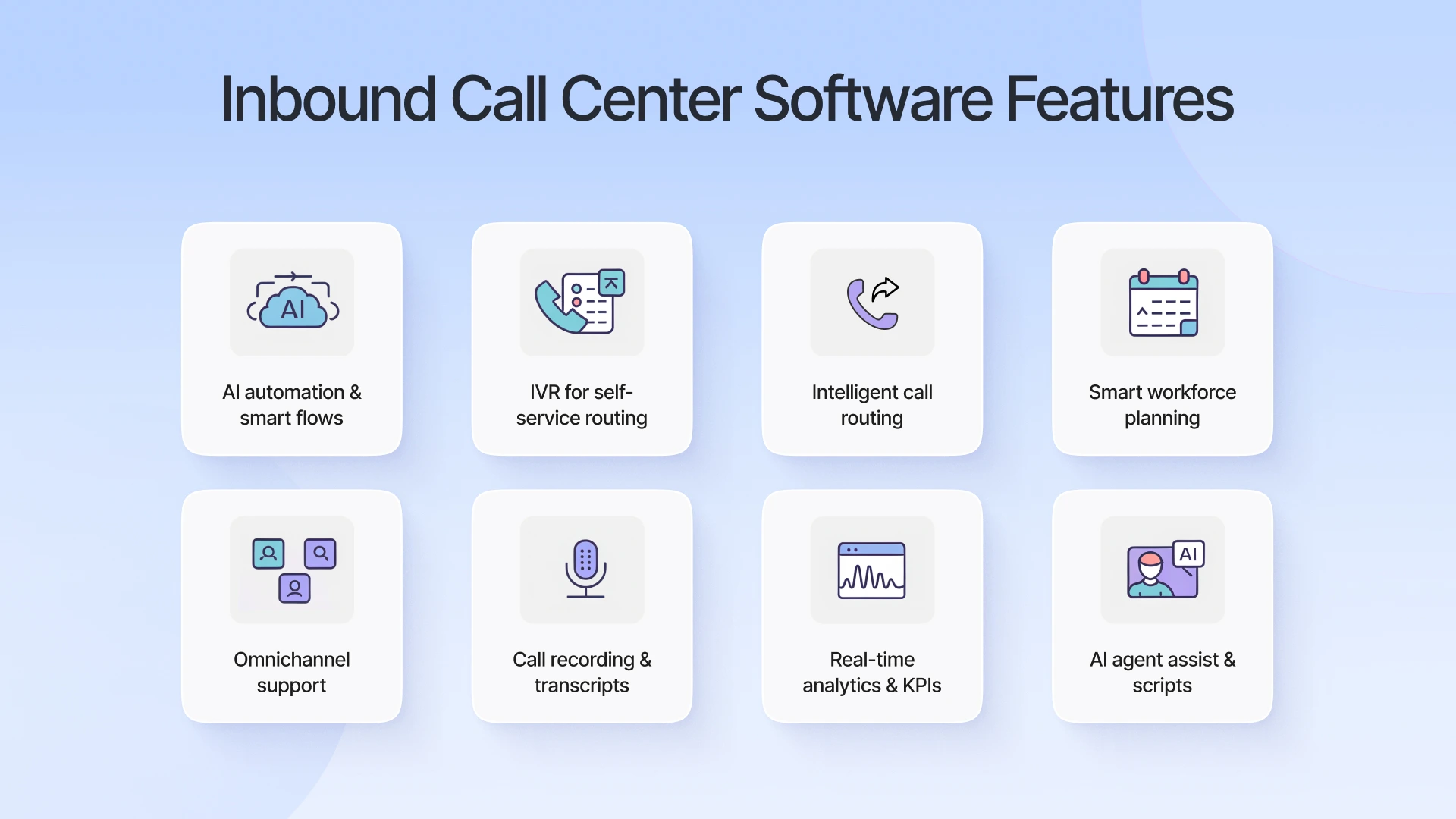
Inbound cloud call center solutions offer numerous advanced features for businesses, like AI-powered automation, IVR, and smart call routing. These features help you to streamline your operations and improve customer experience.
1. AI & Automation
Advanced inbound call center software includes AI solutions and automations to streamline your business workflow and enhance the customer experience. Further, call center software like Spyne’s also offers businesses conversational AI that interacts with customers in a natural and human tone.
2. IVR (Interactive Voice Response)
IVR is an automated phone system and works as a chatbot for businesses, guiding customers through simple menu options using voice or text commands. Through predetermined scripts, it instantly answers customers’ questions or transfers them to the right agent, enabling 24/7 self-service and call qualification.
3. Smart Call Routing
AI call center software inbound understands customer preferences and needs, then automatically routes calls to the right department and the right agent through ACD (Automatic Call Distribution). It reduces customer wait time and helps in improving FCR (First Call Resolution) rates.
4. Workforce Management
Workforce management in inbound call center software helps businesses plan and manage their staff effectively. It predicts call demand and adjusts staffing to match it. Workforce management tools help businesses to forecast workload, create efficient schedules, and monitor performance in real time, ensuring the availability of agents.
5. Omnichannel Support
In today’s marketplaces, customers expect to reach out to your business through multiple channels, including your website, social media, mail, or phone. Advanced inbound call center softwares offer businesses omnichannel support, allowing you to stay connected with your customers and deliver a convenient support experience across channels.
6. Call Recording & Transcription
Advanced call center software inbound automatically records all incoming calls and prepares transcripts of each call. These call recordings and transcripts are essential when routing calls to agents to give them the full context of previous conversations. Also, these are helpful for staff training, quality assurance, and compliance.
7. Real-Time Reporting & Analytics
These inbound call center systems provide you with AI insights and KPIs (Key Performance Indicators) on average wait time, agent productivity, and customer support service quality in real-time. These insights help you find areas for improvement and deliver a consistent, enhanced customer experience.
8. AI Assistance & Scripting
AI assistance and scripting features support agents during live calls by offering them real-time suggestions to quickly resolve customers’ issues. It also provides customized scripts to ensure consistent communication with customers. This helps improve efficiency while maintaining a high-quality support experience.
Top 5 Benefits Of An Inbound Call Center Solution
AI-powered inbound call center solutions help businesses handle customer calls efficiently, improve agent performance, and streamline operations. They boost customer satisfaction while increasing productivity and reducing costs.
1. Enhance Customer Experience (CX)
Customers these days expect a lot from businesses, from instant real conversations, omnichannel support, to first-call resolution with minimal wait times. AI inbound call center solutions help businesses meet these customers’ expectations, boosting customer satisfaction and consistently delivering an enhanced customer experience.
2. Boost Operational Efficiency
An inbound call center system helps businesses streamline operational efficiency. It helps businesses smartly route calls to the right department and agent at the right time through automated tools, like ACD (Automatic Call Distribution) and IVR (Interactive Voice Response).
3. 24/7 Connectivity
One of the most important things for every business is to offer 24/7 connectivity to its customers. So that whenever a customer initiates a call, there’s always someone to answer. Inbound AI call handling solutions offer businesses AI virtual agents that operate 24 hours, picking up and answering customer calls, booking appointments, and more.
4. Cost Efficiency & Scalability
Inbound cloud call center solutions help businesses automate repetitive tasks and inbound calls using advanced conversational AI agents. These agents understand customer needs and preferences in real-time and handle customer interactions with personalized responses. They can handle high call volume simultaneously without adding headcount to your staff.
5. Agent Productivity
Inbound call center software offers businesses AI agent assistance and automate repetitive tasks. This reduces your staff workload, enabling them to focus on high-priority tasks effectively. Also, using AI insights of your staff performance, you can analyze areas for improvement. Provide your team with training on handling customer interactions effectively and boosting their productivity.
How To Choose The Right Inbound Call Center Software?
Having an inbound call software is absolutely beneficial for businesses. But the real question is how to know which solution is right for your business that can actually drive measurable results and help your business scale and grow. Here are some key factors to consider when choosing the right inbound call center solution for your business:
1. Scalability
Investing in software that does not scale closes a growth opportunity for your business. It is the most important factor to consider, as business grows, call volume grows, so you need to choose software that can easily handle high call volumes. Scalable inbound call center solutions prevent the need for frequent replacements or upgrades.
2. Integration
Ensure the solution you are choosing offers a smooth integration with your existing systems and tools, such as CRM, helpdesk, or marketing platforms. This allows your staff instant access to customer data whenever required without interrupting the workflow. It also helps reduce manual work and human errors.
3. Customization
When picking the right inbound call center solution for your business, make sure it offers customization options to tailor virtual AI agents, call flows, and reports to meet your business needs. Customizable solutions provide flexibility while ensuring agents follow consistent procedures. This enhances both efficiency and the customer experience.
4. Ease of Use
Opt for a solution offering a smooth and simple interface that is easy to use and requires minimal training. This helps reduce the learning curve, minimizes agent frustration, and ensures that your team can focus on helping customers rather than struggling with tools.
5. Implementation & Onboarding
You should also consider the time and resources required to deploy the software and train your virtual and live agents. Only go for the vendors offering clear guidance, tutorials, and dedicated support during onboarding to make it faster to get up and running. Quick implementation helps your business see benefits sooner.
6. Cost
Compare the cost of multiple inbound call center software and evaluate the total cost of ownership, including maintenance, training, and potential add-ons. Also, make sure that there are no hidden charges. This will help you get value for money without unexpected expenses.
7. Security & Compliances
Protecting sensitive customer information is crucial to building customer trust and loyalty. Very that the software you are choosing follows strong encryption standards, complies with relevant regulations, and has certifications to ensure data security. This safeguards both your business and your customers.
8. Availability
Before investing in software, make sure the vendor offers 24/7 customer support service or a dedicated account manager. It should be accessible and resolve software issues quickly in need. This helps you avoid disruptions, ensuring smooth call center operations.
Why Call Centers Still Lose Customers Despite Having Software?
Even after having a call center solution, most businesses still lose customers. This often happens to small businesses due to improper implementation, over-complicated systems, and a lack of human touch that creates friction, such as rigid automation, slow performance, or long wait times. Let’s discuss in brief the reason behind the loss of customers, even after having an inbound call center software for small business or big business:
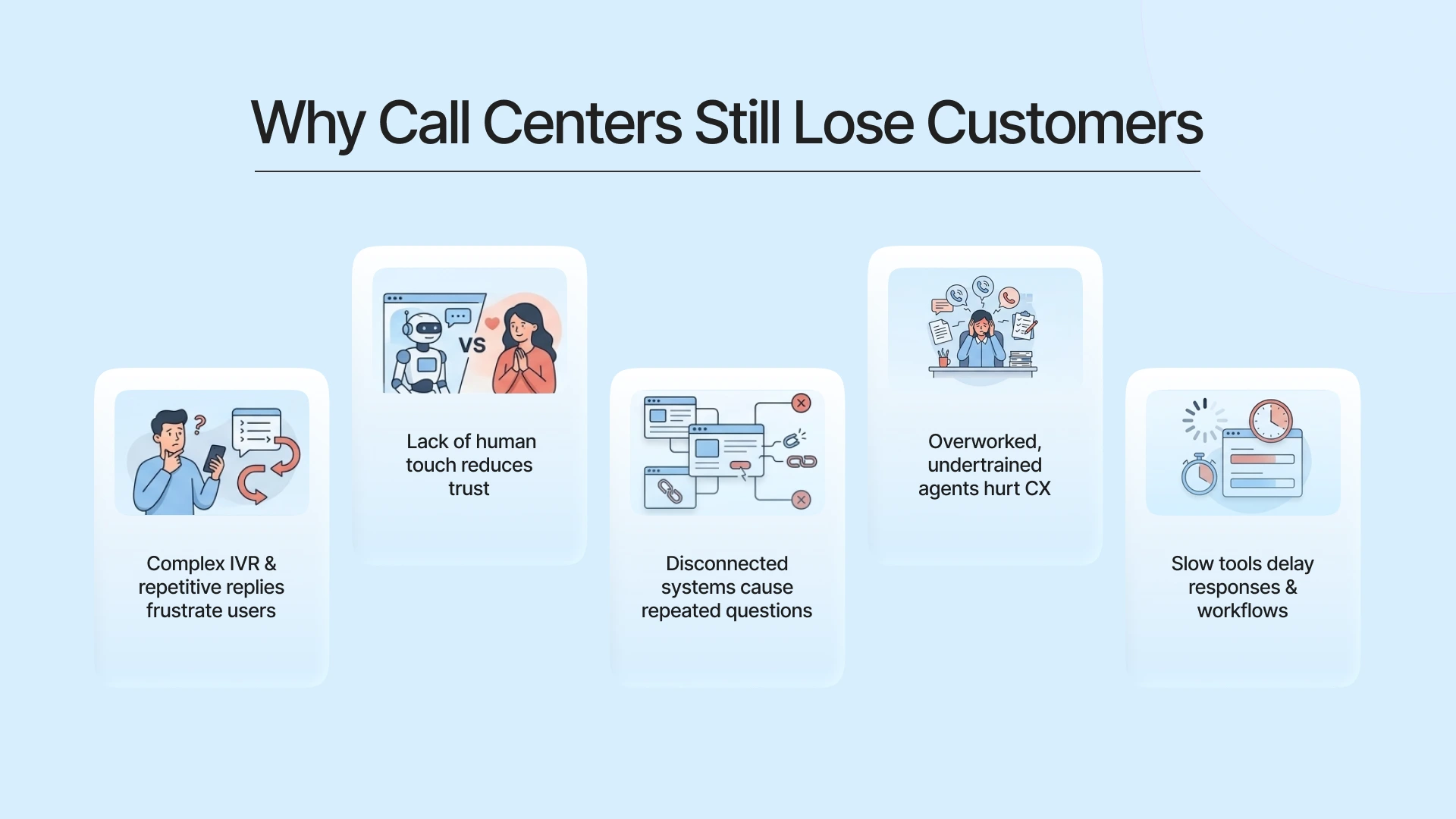
1. Poorly Designed Automation
When automation tools like IVR or chatbots are too complex and send repetitive responses to the same customer, this creates customer frustration instead of solving their problems. Due to this, customers often feel stuck in endless menus, which reduces customer experience.
2. Over-Reliance on Technology
Relying entirely on AI or automation without any human involvement can push customers away. While AI continues to evolve and improve efficiency, it cannot fully replace the need for human connection. Human agents understand emotions, show empathy, and handle complex situations more effectively, which plays a key role in delivering true customer satisfaction.
3. Lack of Context
When systems aren’t connected, agents can’t access a customer’s previous conversation history. This often leads agents to ask repetitive questions again and again, making the customer experience slow and frustrating.
4. Agent Burnout & Training Gaps
System inefficiency arises when agents deal with heavy workloads, high stress, and insufficient training. This makes it difficult for them to use tools effectively and handle customer queries smoothly. As a result, service quality drops and employee turnover increases.
5. System Inefficiencies
Outdated or slow systems can delay responses and interrupt the flow of work for agents. These inefficiencies make even skilled agents seem less productive during customer interactions. In turn, this leads to a poor and frustrating customer experience.
Note: AI call center software cannot replace a customer-first approach. When businesses rely only on tools without optimizing processes or empowering agents, it often leads to more frustration instead of better service. The key is to balance technology with human empathy and well-designed workflows.
Why More Features Don’t Mean Better Call Management?
If you think that adding more features to your business can result in better call management, then you are wrong. Overloaded systems only reduce operational efficiency, overwhelm agents, and slow down their performance. Systems that aren’t well integrated can force agents to jump between screens, which reduces efficiency and frustrates both staff and customers
Effective call management relies on strategic functionality and user-friendly tools. Focus on features like smart call routing, CRM integration, and AI analytics to improve First Call Resolution (FCR) and reduce Average Handle Time (AHT). Having a reliable, easy-to-use inbound call center software allows agents to work efficiently, avoid mistakes, and provide a better experience for customers.
Why Spyne AI Is the Best Choice For Automotive Businesses?
Spyne is the most reliable call overflow solution for automotive businesses. Our AI inbound call center software is designed to help car dealerships deliver fast, personalized, and connected responses across multiple channels. Further, by combining automation with conversational AI agents, every call from sales inquiries to service requests is handled promptly, accurately, and efficiently.
1. Smart Call Routing
Our AI acts as an automotive BPO, which understands customer requirements and preferences and routes calls smartly to the most suitable department and agents based on customer needs and inquiry type. This reduces wait times, ensures first-call resolution, and improves overall customer satisfaction.
2. 24/7 Availability
Our AI inbound call center software allows automotive businesses to connect with their customers 24/7 through inbound and AI outbound calling. Our AI agents operate around the clock, picking up and answering customers’ questions instantly, even outside business hours. This ensures your dealership never misses a call or potential opportunity.
3. Record Calls & Transcripts
All calls you receive are automatically recorded and transcribed for easy reference. Agents can quickly access past interactions, delivering personalized responses, improving follow-ups, reducing errors, and ensuring a seamless customer experience.
4. Real-Time AI Analytics & Insights
Our AI solution for inbound call centers provides you with actionable insights on your agent performance, call trends, and customer behavior. You can use this data to optimize workflows, boost efficiency, and make informed decisions for your dealership.
5. Omnichannel Support
Our automotive call center software comes with omnichannel support, allowing you to connect with your customers across multiple channels via voice, chat, or SMS. Agents have full context across channels, enabling smooth, connected, and personalized interactions.
6. Enhanced Customer Experience
With features like sentiment analysis, AI guidance, and fast call handling, Spyne ensures every customer feels valued and understood. This builds trust, improves satisfaction, and strengthens loyalty to your dealership.

Conclusion
Having an effective inbound call software is crucial for businesses. By combining advanced AI, automation, and omnichannel support, it helps businesses deliver instant and personalized responses.
When it comes to automotive businesses, Spyne’s AI automotive call center service becomes the best choice. Our AI offers 24/7 connectivity, maintains seamless communication across channels, and ensures every customer gets an instant response. Our advanced conversational AI interacts with customers in a natural and human tone, understands their behavior, preferences, and needs in real-time to deliver an enhanced customer experience. See Spyne’s inbound call center software in action. Book a demo now!