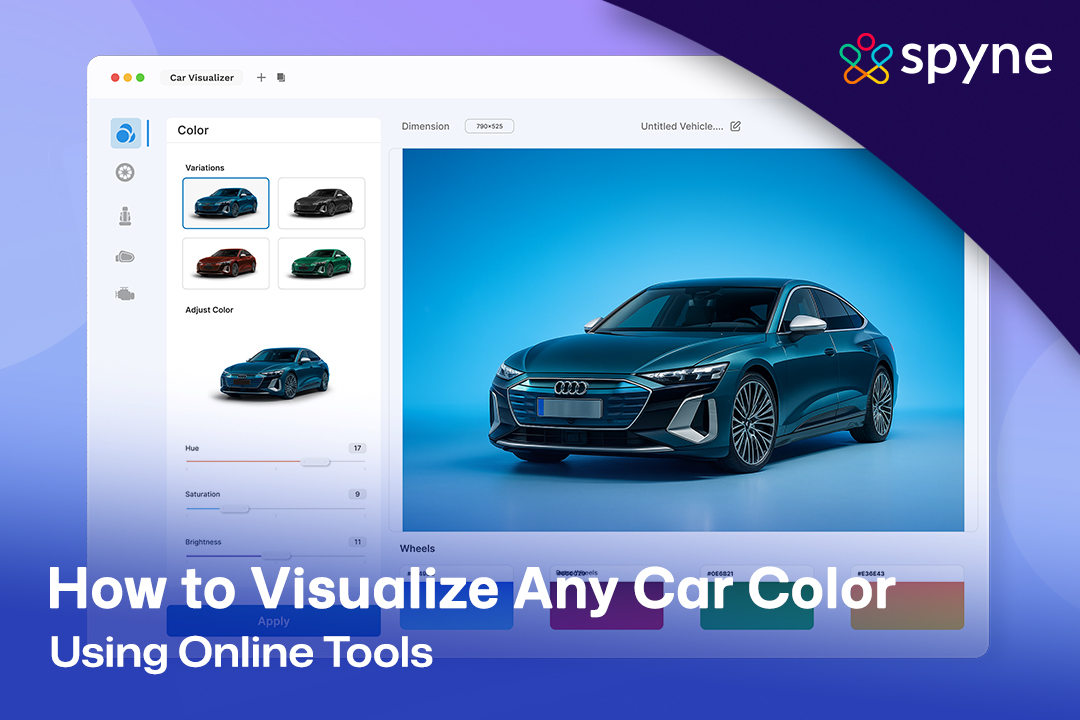

What if we tell you that now you can change any car color in seconds? Sounds fascinating, doesn’t it? Well, it’s no longer just imagination. Now, you can change any car color in just a few clicks with the car color simulator. These are online AI tools that automatically customize your car images to give them a completely new look. You can call it the future of customizing cars, where you don’t actually customize, but you can visualize any car color with the customization you want.
If you are an automotive photographer, dealership, car enthusiast, automaker, or anyone who is related to automotive, this blog is for you. In this blog, you will explore the future of customization with advanced AI car color changer tools and learn how to leverage them effectively. So, let’s get started and dive deeper into this blog to explore the future of car customization together.
What Is Car Color Simulator?
The car color simulator is an advanced AI-powered tool that allows you to apply any color to your car in just a few clicks. You don’t need any manual editing, nor any expert to use these tools; you can do it all yourself. All that is required is some quality pictures of your car, and you are good to go. These tools come with a series of color options that you can apply with just a single click.
This is what we call the future of car customization. Where you can digitally customize your cars, give them a completely new look, visualize them, and then go for real customization after knowing what looks best. So, no more guessing games, click some pictures of your car, apply colors to them, and see for yourself how they turn out.

How Does a Car Color Simulator Work?
Curious to know how a car color-changing tool works? Do you need any experts or editing skills to use this tool? Well, as we said, it’s an Artificial Intelligence technology, so you don’t need these. Here are a few simple steps on how to use one:
1. Upload or Select a Car Image: The first thing you need is to take some good-quality pictures of your car. Make sure everything is clearly visible, even if it’s a minor detail. Go to the tool and simply select to upload the pictures you shot.
2. Choose a Color or Finish: Once you’ve uploaded the image, the next step is to select the color or finish you want to apply. Don’t just stick to one color or finish. The tool offers a wide range of colors, so experiment and visualize any car color to see how it turns out.
3. Auto Lighting and Reflections: Now it’s the most important step, which enhances your car image and ensures that it turns out real with every minor detail on it. Don’t worry, it’s not your work. The AI automatically applies the lighting effect and surface reflections to give your AI-enhanced image a realistic look.
4. Preview and download: Once everything is done, make sure to preview the image, ensuring detailing aligns with the original one. Then the last thing you have to do is download the image. You can use the image for any purpose, whether for running marketing campaigns or posting on social media.
What Makes A Good AI Car Color Changer Tool?
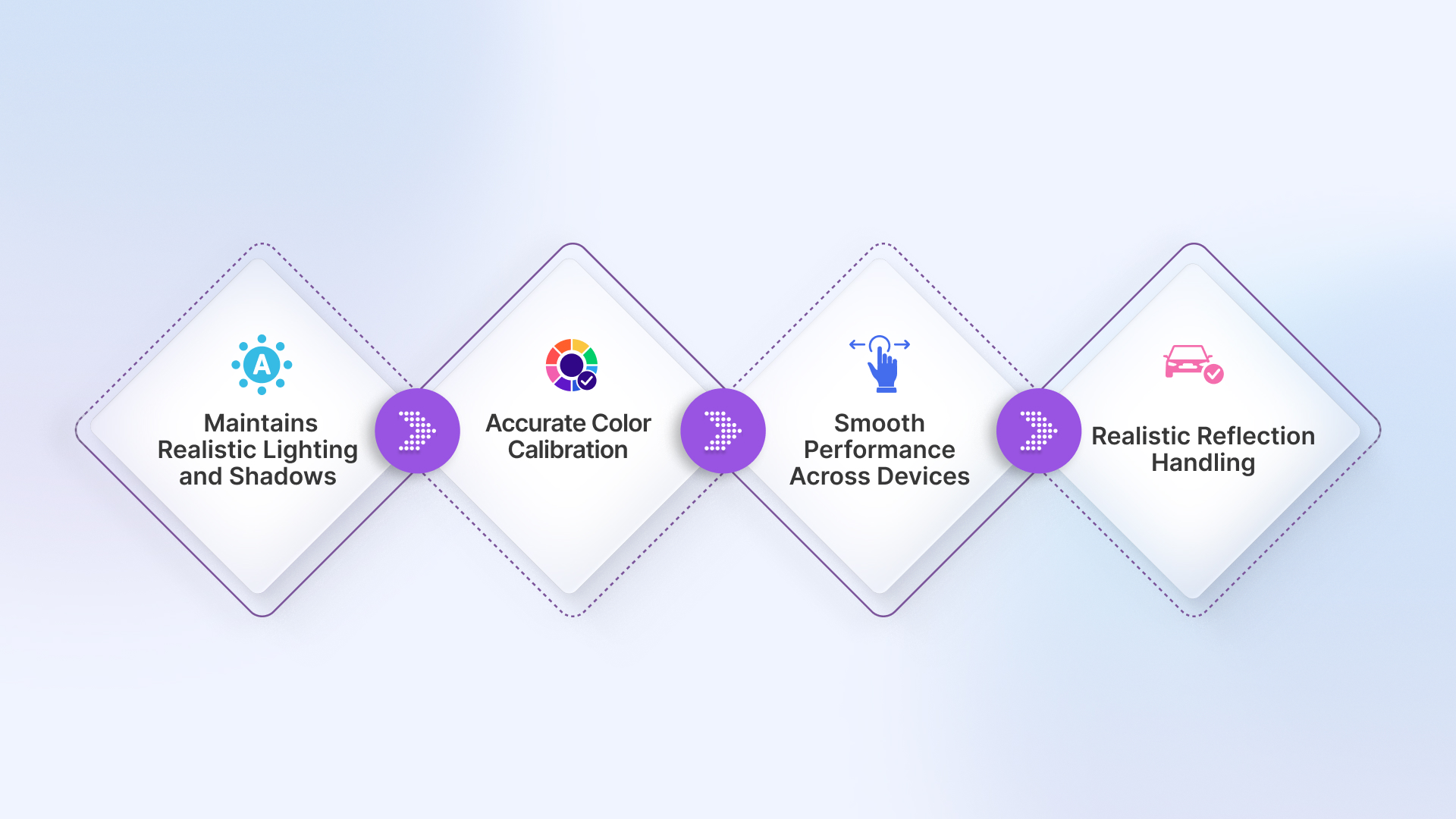
Now you might be thinking, how do you ensure that the one tool you are using is good enough to generate quality AI-enhanced images? Well, it’s simple, not all car color simulators deliver realistic results. When we say a good tool, it means it meets certain quality standards to ensure your visuals are accurate and professional. Here’s what defines a reliable simulator:
Features To Look For When Choosing The Right Tool
In the above section, we discussed how to ensure that the tool you are using is a good one. Now let’s talk about how to find the perfect tool. Well, there are plenty of tools available, but to be very specific, not all these tools are similar. They don’t produce the same results. So, how do you find a perfect one? Here is a checklist of features that you should be looking for while finding a perfect one:
1. High-Resolution Output: When choosing the right tool, make sure that it supports high-resolution output. Many tools, like Spyne’s AI car color changer tool, produce sharp, professional-quality images suitable for marketing, online listings, or social media. Resolutions play a crucial role in creating visuals appealing to buyers and clients.
2. Wide Color Library: While opting for a tool, ensure it offers a variety of preloaded colors, including OEM-approved shades, popular wraps, and custom tones. This will give you flexibility and ensure accurate color representation.
3. Multiple Finishes: Some of the best tools come with multiple finishes like matte, gloss, metallic, and pearlescent. Therefore, look for a tool that supports all these finishes. This allows you to see exactly how each option would appear on your car.
4. Environment Simulation: To get the best, realistic output, you have to check if the tool lets you preview your car in different lighting or environments. Whether you want a showroom, daylight, or outdoor setting, each color reacts differently in each setting.
5. Batch Processing: If you are a car dealership or OEM, then you have to make sure that the tool you are going to use supports batch processing. It allows you to save time by recoloring multiple car images at once.
6. Shareable Previews: Always remember that a good simulator allows smooth collaboration and quick approvals, improving workflow efficiency. Hence, while picking up a tool, ensure that you can easily share images or previews with clients, teams, or buyers.
Who Can Use the Car Color Simulator?
People often misunderstand that these tools are only helpful for photographers. But that’s not actually the case. There is no limitation on who can use them and who can not. These are versatile tools that cater to a wide range of users across the automotive industry. Anyone who wants to visualize, showcase, or experiment with car colors can benefit from these tools.
1. Car Dealerships: Car dealerships can utilize these tools to offer multiple color options for the same vehicle to their buyers. Providing buyers with a realistic preview of cars in different colors without needing to keep all variants in stock can significantly enhance the sales experience.
2. OEMs: Indeed, if you are an automaker, you can leverage these tools to digitally visualize your new car models in various colors during development. You can use these visuals for presentations and marketing campaigns. Further, these will help you to test color appeal and plan production or promotional materials.
3. Automotive Photographers: For automotive photographers, these tools help create diverse, professional-grade images without the need for multiple cars or extensive post-processing. These tools will save you a lot of time while maintaining image quality and realism for portfolios or marketing materials.
4. Car Wrap & Paint Shops: If you run a car wrap or paint shop, you can use these tools to show clients how different colors, finishes, or designs would look before applying them. It will remove all the guesswork and improve your customers’ satisfaction.
5. Car Buyers: If you are planning to buy a car but aren’t sure which color suits you best. Then you can use these tools and experiment with different colors to see your dream car come to life virtually. The process of using these tools is simple; even buyers with no editing skills can use them.
Moreover, these are not the only ones who can use these tools. Anyone from the automotive industry or who loves creativity can use them. It’s the same as we said earlier, there’s no limit on who can use them and who can not.
Spyne AI – Transform How You Visualize Any Car Color
Spyne AI brought you the future of car customization, where you can virtually visualize any car color without actually recoloring it. No more guesswork, apply colors to your car image digitally, and visualize how it turns out with Spyne’s AI car color changer tool. Here’s what you get with this tool:
1. Realistic Visuals: Our AI applies precise lighting, reflections, and surface textures to your car images, ensuring that the output you get looks natural and true to life. Whether it’s studio, outdoor, or any other environment, our tool will enhance your image accordingly.
2. Wide Range of Options: Our car color simulator comes with a wide range of options for colors and finishes, including OEM-approved shades to custom colors and wraps. With these many options, you can freely experiment with your car and find what works best.
3. Speed and Efficiency: No more hours of editing or applying paint to your car. Simply upload a picture, pick a color, and generate high-quality previews in just seconds. It saves a lot of time for everyone, including car dealerships, OEMs, automotive photographers, and more.
4. Collaboration Made Easy: Our advanced AI tool provides you with a preview and easy sharing options. We made it easy for you to collaborate with clients, teams, or buyers. With our car color editing tool, making decisions is faster, approvals are smoother, and the overall workflow becomes more efficient.
5. Additional Features: Spyne goes beyond just recoloring cars virtually; we offer multiple editing options for you. Likewise, background replacement or removal, virtual car wraps, number plate blurring, and many more. These options make Spyne a complete solution for creating studio-quality car visuals for listings, marketing, and promotions.
Conclusion
The advanced AI car color simulator has eliminated the guesswork and hours of editing. Now you can visualize any car color, leveraging these tools without actually recoloring your cars. Further, everyone can use them, whether you are a car dealership, automaker, or car photographer.
With Spyne AI, you can generate realistic visuals with high resolution. You also get access to powerful features like batch processing, easy sharing, quick downloads, and much more. We help you bring your vision to life with just a few clicks. The future of car customization is digital, fast, and powered by AI, and it starts with Spyne.
FAQs
Yes, most of the color visualizers offer a few free basic features. Some of these platforms might charge for advanced customization, but testing colors on your vehicles is free.
Just search for a reliable car wrap or paint visualizer, upload a photo or select your model, and start exploring colors. If you’re using Spyne, you may already have high-quality, background-removed car photos ready to go.
No installation is needed. Most car color visualizers are web-based, so you can use them directly from your browser, mobile, or desktop.
A lot of the modern tools allow you to upload photos of your own vehicle to provide realistic and accurate results. Spyne uses AI to enhance photos and supports this kind of color simulation.
That depends on the tool. Some visualizers limit you to official factory colors, while others (including AI-based tools) let you try custom or even textured finishes.