
Executive SummaryMost franchise dealerships run their dealership inventory management system inside CDK Global, Reynolds & Reynolds, or Dealertrack DMS, while independent dealers mostly run DealerCenter; no single platform covers the whole market. Used-vehicle supply sat at 48 days’ supply nationally in January 2026 (Cox Automotive, 2026), against 16,990 franchised dealers nationwide (NADA, 2025). The right system depends on dealer type, rooftop count, and whether inventory sits inside a full DMS or a connected, AI-driven platform like Spyne Inventory Management. |
A used SUV sits 61 days on a franchise lot while the GM’s dealership inventory management system still logs it as “in transit.” Multiply that across a rooftop and the carrying cost adds up fast, especially with used-vehicle supply already running 48 days nationally (Cox Automotive, 2026). Dealers rarely pick their core system from a blank slate. CDK, Reynolds & Reynolds, Dealertrack, and DealerCenter already sit inside most stores, and ripping one out is expensive and disruptive. Here is what most dealers actually run, broken down by dealer type, and where a connected inventory layer like Spyne fits in.
What Is a Dealership Inventory Management System?
A dealership inventory management system is the software a dealership uses to track every vehicle from acquisition through sale, covering VIN-level status, pricing, reconditioning stage, and listing syndication in one place. For most stores, this lives inside two different kinds of platforms, and mixing them up is the single most common source of confusion when dealers start shopping.
- Full dealer management system (DMS): A DMS bundles inventory with accounting, finance and insurance (F&I), parts, and service. CDK Global, Reynolds & Reynolds, and Dealertrack DMS are the three names that dominate this category at franchise stores.
- Standalone inventory or merchandising layer: A connected inventory platform like Spyne Inventory Management or vAuto sits on top of or alongside a DMS, focused specifically on pricing intelligence, merchandising, and listing syndication rather than accounting or payroll.
Most dealers end up running one of each: a DMS for the back office, and a dedicated inventory layer for anything involving pricing, photos, and publishing. Auto dealership inventory management that tries to do both inside one generic system usually loses depth on one side or the other, since accounting teams and used-car managers need very different tools from the same data set. Knowing which layer you are actually shopping for, before you take a single demo call, saves weeks of evaluating the wrong category of product. For a deeper feature-by-feature breakdown of that category, see this comparison of automotive inventory management software.
Which Dealership Inventory Management System Do Most Dealers Run?
Most dealers run whatever system came bundled with their franchise group’s contract, not whichever ranks best. Large franchise groups mostly run CDK Global or Reynolds & Reynolds; mid-size stores often run Dealertrack DMS; Tekion is gaining share among newer groups; independent and buy-here-pay-here dealers mostly run DealerCenter.
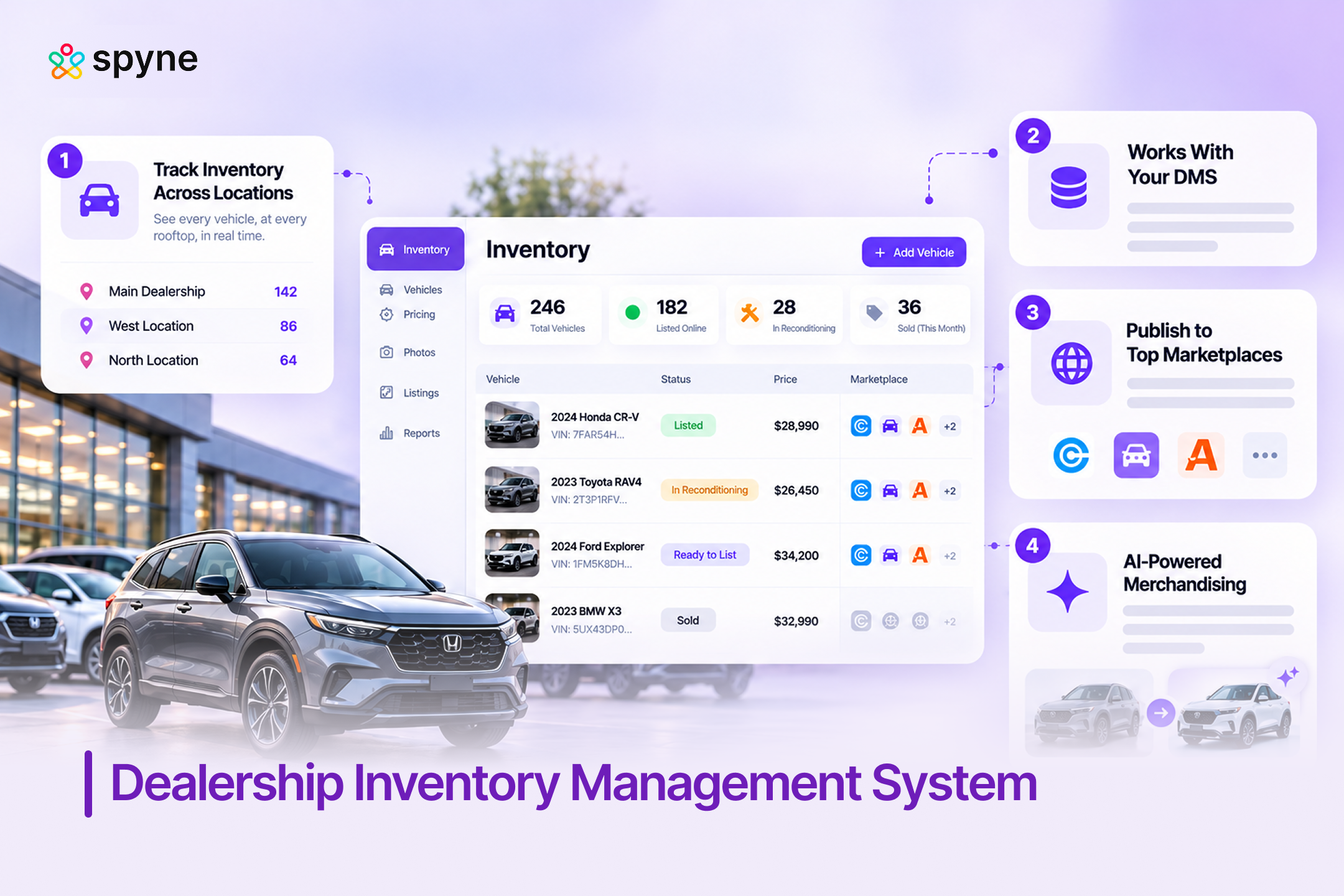
None of these systems were built inventory-first. They started as accounting and compliance platforms, with inventory as one module among many, so few generate vehicle descriptions, enhance photos, or flag aging inventory automatically. That gap is where a connected layer like Spyne Inventory Management fits in, alongside your existing DMS.

Best Inventory Management Systems for Car Dealerships, Compared
The best inventory management systems for car dealerships split cleanly by what the dealer actually needs: deep DMS integration, independent-dealer simplicity, or an AI-driven merchandising and pricing layer. The table below lists the systems that come up most often across both categories, with Spyne Inventory Management listed first. For a longer, feature-by-feature rundown of 11 options, see this best car dealer inventory software breakdown.
| Software | Best For | Core Strength | Pricing |
| Spyne Inventory Management | Dealers who want AI merchandising, pricing, and publishing connected in one system | AI vehicle descriptions, automated photo enhancement, one-click multi-marketplace publishing, and inventory health alerts in a single workflow | Customized |
| CDK Global | Large franchise groups already on CDK for accounting and F&I | Deep, decades-old integration across every dealership department, not just inventory | Connect with Sales Team |
| Reynolds & Reynolds | Franchise dealers who prioritize accounting and compliance depth | Long-standing OEM certifications and document management built around franchise requirements | Connect with Sales Team |
| Dealertrack DMS | Mid-size franchise stores inside the Cox Automotive ecosystem | Pre-integrated with vAuto and other Cox Automotive pricing and sourcing tools | Connect with Sales Team |
| DealerCenter | Independent and buy-here-pay-here dealers | Combined DMS, inventory, and financing built for independent-dealer workflows | $99/mo (DMS module) |
How to Choose the Right Inventory System for Your Dealership
Choosing dealership inventory management software comes down to matching the system to your dealer type, rooftop count, and how much of the pricing and merchandising work you want automated versus manual. Work through these five checks before signing anything.
1. Start With Your Rooftop Count
A single-location independent lot has very different needs than a 12-store franchise group. More rooftops mean you need cross-store visibility and consistent pricing rules, not just a bigger spreadsheet. A multi-rooftop group that cannot see inventory at its other locations in real time ends up duplicating acquisitions and missing easy cross-store transfers.
2. Decide Between a Full DMS and a Connected Inventory Layer
If your current DMS already handles accounting and F&I well, you likely do not need to replace it. You need a dedicated inventory and merchandising layer that plugs into it instead of a second DMS. Treating this as a replacement decision instead of an addition is the single most expensive misstep dealers make in this process.
3. Check How It Handles Marketplace Publishing
Ask exactly how listings sync to CarGurus, Cars.com, AutoTrader, and your own website, and how fast a sold vehicle gets pulled down everywhere. Stale listings cost leads and create compliance headaches. This guide to dealer inventory publishing software covers the publishing side of this question in more depth.
4. Ask About AI-Driven Merchandising and Pricing
Photo quality and listing accuracy affect click-through rate before a shopper ever reads a description. Ask whether the system automates vehicle descriptions, photo enhancement, and market-based pricing, or leaves that work to your team. Manual merchandising does not scale past a handful of units a day, so this one question tends to separate a modern platform from a legacy screen with a new coat of paint.
5. Confirm Real Integration With Your Existing DMS
An inventory layer that cannot pull VIN, pricing, and status data from your existing DMS creates duplicate data entry. Get a specific answer on integration before you buy, not a vague “yes, we integrate with most systems.” Ask for the exact field-level data that syncs and how often, since a nightly batch sync behaves very differently from a real-time one when a vehicle sells.
Common Mistakes Dealers Make When Choosing a System
- Picking based on the sales demo alone: A polished demo does not show how the system behaves with your actual inventory volume and rooftop count six months in.
- Ignoring marketplace sync accuracy: A system that is slow to delist sold vehicles or mismatches prices across channels quietly damages trust with shoppers and search platforms alike.
- Treating the DMS and the inventory layer as one decision: Dealers who try to replace their entire DMS just to fix a merchandising problem usually create more disruption than the original problem caused.
- Skipping the integration conversation: Assuming two systems will talk to each other without confirming the exact data fields and sync frequency is one of the most common and costly mistakes in this category.
- Underestimating staff training time: Even a better system can hurt performance in the first month if the team was not trained before go-live, the same discipline covered in this guide to car lot management.
Dealership Inventory Management Tips That Actually Move Turn Rate
Turn rate rarely improves from one big change. It moves when a handful of small, repeatable habits get applied consistently across every vehicle on the lot, not just the ones that are already aging. The five tips below are the ones that show up most often in dealerships that actually cut days’ supply, not just ones that talk about it.
1. Set Aging Alerts at 30, 45, and 60 Days
Do not wait until a vehicle becomes a visible problem to flag it. Early alerts at 30, 45, and 60 days give the team time to reprice before a car turns into a loss, rather than reacting once it is already sitting well past the lot’s average turn time.
2. Audit Marketplace Listings Weekly
Check every connected marketplace weekly for mismatched pricing, missing photos, or vehicles still showing as available after they have sold. A weekly cadence catches sync errors before they cost a week of wasted impressions or a compliance headache.
3. Segment Performance by Price Tier
Sub-$15,000 vehicles and $40,000-plus vehicles turn at very different rates and need different pricing rules, so a single lot-wide average hides more than it reveals. A dedicated tool for car inventory software with analytics makes this kind of segmentation far easier than a flat spreadsheet report.
4. Review Reports With Sales and Used-Car Managers Together
Walk through car dealership inventory management reports with sales and used-car managers together, not just the GM. Pricing decisions land better when the people closest to the lot and the showroom floor are reading the same numbers at the same time.
5. Re-Check Reconditioning Time-to-Line Monthly
Re-check reconditioning time-to-line on a monthly cadence, not just when a specific vehicle draws attention. A vehicle that sits in recon for ten extra days is invisible in most turn-rate reports but still costs real carrying expense every day it waits.
Spyne Inventory Management: AI-Powered Dealership Inventory Management Software
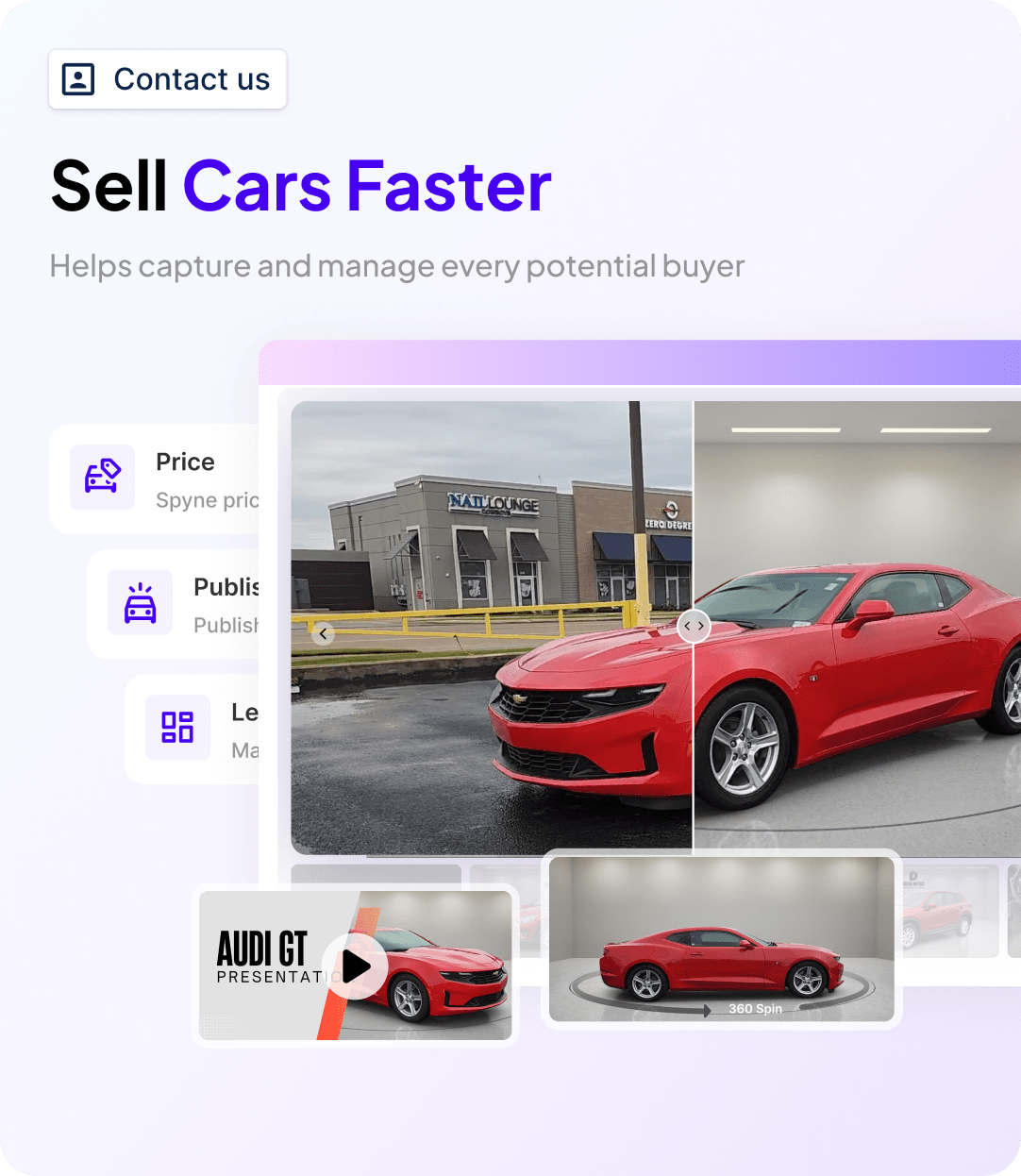
Spyne Inventory Management is a connected dealership inventory management system built for dealers who want pricing, merchandising, and publishing handled by one AI-driven platform instead of three disconnected tools. It sits alongside your existing DMS rather than replacing it, pulling VIN, status, and pricing data so your team is not re-entering the same information twice. This fits naturally into the workflow problem most dealers already have, long before the DMS-versus-inventory-layer decision above even comes up.
1. AI-Generated Vehicle Descriptions
Spyne automatically writes unique, SEO-friendly vehicle descriptions for every unit in inventory instead of leaving listings blank or copy-pasted. A used-car manager running 150 units no longer has to write descriptions by hand before a vehicle can go live online.
2. Automated Photo Enhancement
Every uploaded photo is cleaned up and standardized automatically, correcting lighting, background, and angle issues without a separate photography workflow. This directly affects click-through rate on marketplace listings, where photo quality is often the first filter a shopper applies.
3. One-Click Multi-Marketplace Publishing
Inventory pushes out to your website, CarGurus, Cars.com, AutoTrader, and other connected marketplaces from a single update, instead of re-entering the same vehicle on five different platforms. When a vehicle sells, it delists everywhere automatically.
4. Inventory Health and Aging Alerts
Spyne flags aging units before they become a real problem, surfacing days-on-lot, pricing drift against market comparables, and reconditioning delays in one dashboard. A used-car manager can catch a 55-day vehicle before it hits 70.
5. Market-Based Pricing Signals
The platform compares each vehicle’s listed price against live market data, flagging units that are priced out of step with comparable listings nearby. This supports the pricing decisions dealers already make, rather than replacing their judgment.
6. Reconditioning Workflow Visibility
Spyne tracks where each vehicle sits in the reconditioning process, from inspection through detail and photography, so a vehicle does not sit “front-line ready” on paper while it is still in the shop.
7. DMS and Existing Tool Integrations
Spyne connects to the DMS and inventory tools dealers already run, so adopting it does not mean ripping out CDK, Reynolds & Reynolds, Dealertrack, or another core system. This is the practical answer to the “do I need to replace my whole DMS” question raised earlier in this article.

Conclusion
There is no single dealership inventory management system every dealer runs. Franchise groups mostly run CDK Global, Reynolds & Reynolds, or Dealertrack DMS because those systems came with their OEM and lender relationships, while independent dealers mostly run DealerCenter. What almost none of them have is a connected, AI-driven layer handling pricing, merchandising, and publishing on top of that core system, which is exactly the gap Spyne Inventory Management is built to close. Dealers looking to tighten the sales side of the same workflow can pair it with Spyne Automotive CRM.