
Every day a vehicle sits on your lot without a complete, professional listing is a day of suppressed VDP traffic and compounding holding cost. According to Shift Digital’s 2025 Automotive Vehicle Merchandising Trends Report, high-quality, VIN-specific imagery lifts VDP views by 20% and increases lead volume by 12% compared to listings with generic or low-quality photos.
And yet, across thousands of independent and franchise dealerships, photo editing remains a manual bottleneck. Photos taken on a Tuesday sit in a folder until someone finds time to edit them on Thursday. By the time the listing goes live, the unit has spent 3 to 5 days accumulating floorplan cost with zero digital presence.
The dealerships that consistently hit the 3-day frontline standard, vehicles live on all connected marketplaces within 72 hours of acquisition, do it because they have removed photo editing from a manual queue and put it into an automated pipeline. In 2026, that pipeline is built on AI.
This guide covers everything a dealership operator needs to know about car photo editing: what separates purpose-built automotive solutions from general editing tools, and how to evaluate platforms against the criteria that actually drive inventory merchandising performance.
How Much Does a Photo Backlog Cost a Dealership?
Most dealerships treat photography as a content task. It belongs in operations. The photos on a VDP are not decoration, they are the primary mechanism by which a shopper decides whether to engage, inquire, or move on. Every friction point in the photo workflow directly impacts how fast that decision happens.
The numbers are unambiguous:
- Multiple custom photos generate 245% more VDP views than multiple stock photos (AutoTrader)
- A single custom photo already outperforms a stock image by 166% on VDP view rate
- Buyers who completed more than 50% of the purchase process online reported the highest satisfaction scores ever recorded, Cox Automotive, 2025
The online journey begins with the listing. What a shopper sees when they land on a VDP, whether images load fast, whether the vehicle looks clean and consistent, whether all 18 to 20 angles are covered, determines whether they stay or bounce.
The Day-15 Diagnostic Every GM Should Know
Experienced used car managers apply this rule without thinking: if a vehicle has been on lot for 15 days with zero leads, the audit starts with the listing, not the price.
A listing problem and a price problem present identically in surface reporting. Both show low VDP engagement, low lead volume, low conversion. The diagnostic sequence is: check the photo set first.
Incomplete angles, inconsistent backgrounds, and underexposed interiors suppress dwell time before price ever becomes a factor. The fix is treating photography as a Day 0 intake function, the unit arrives, gets photographed, gets processed, and goes live within the same 24-hour window.
The Holding Cost Math
At $46 per vehicle per day, accounting for floorplan interest, depreciation, insurance, and lot overhead, the cost of a photo backlog is calculable.
| Scenario | Weekly Cost | Annual Cost |
| 20 units/week, 4-day listing gap | $3,680/week | $191,360/year |
| 20 units/week, 1-day listing gap | $920/week | $47,840/year |
| Savings from closing the gap | $2,760/week | $143,520/year |
At a mid-volume store doing 60 units per month, reducing time-to-list by 3 days is worth roughly $82,800 per year in holding cost savings alone, before counting the incremental leads from having listings live sooner.
The $46 figure is the floor. For late-model CPO units or luxury inventory financed at higher rates, the daily cost is meaningfully higher.
What Purpose-Built Automotive Photo Editing Actually Requires
Dealerships discover the gap between general editing tools and automotive-specific platforms the hard way: after 200 vehicles edited in Remove.bg or Lightroom, the wheel-spoke artifacts are still there, the photo sets are still inconsistent, and the export workflow is still manual. These tools were not built for this use case.
Here is what separates purpose-built automotive photo editing from everything else, and why the gap compounds as inventory volume grows.
1. Automotive-Trained Background Removal
Background removal is the highest-impact editing step in inventory photography, and the step where general AI consistently underperforms on vehicles.
Vehicle silhouettes are among the most complex segmentation challenges in commercial photography:
- Wheel spokes create dozens of small curved gaps that require precise edge detection
- Side mirrors extend beyond the body with thin stems that generic models frequently clip
- Convertible tops and tinted glass have semi-transparent properties that confuse algorithms trained on opaque objects
- Chrome trim and reflective panels pick up ambient lot colors, creating color-bleed artifacts along extracted edges
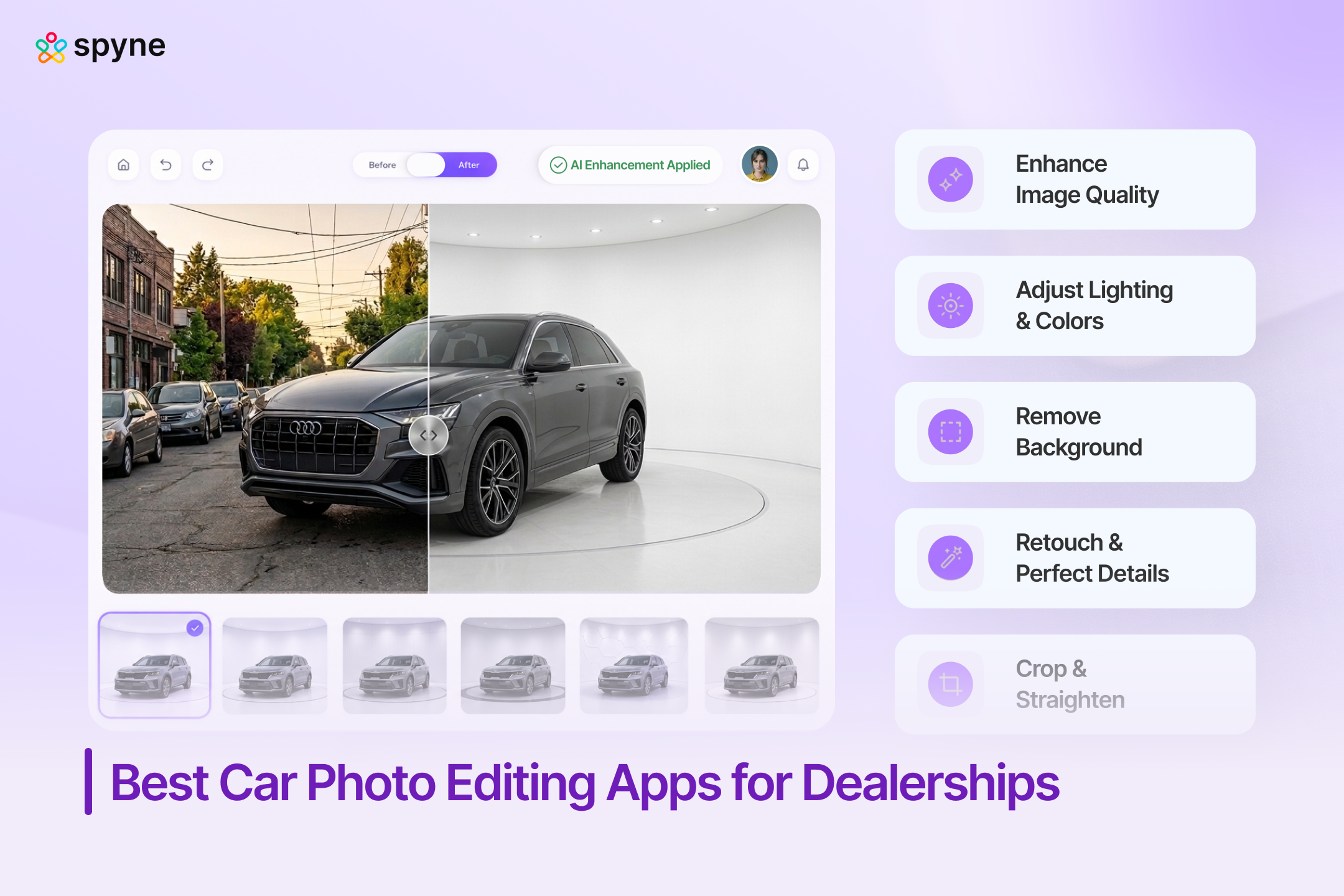
AI trained specifically on vehicle images handles these edge cases with materially higher accuracy, clean spoke gaps, precise mirror edges, smooth chrome transitions, consistent output from sedans to heavy-duty trucks. Spyne Studio AI’s engine is built exclusively on automotive imagery. It is not a general model adapted for cars. The output difference is visible on the first vehicle set.
2. Batch Processing at Inventory Throughput Scale
A complete vehicle set is 15 to 20 photos. At 8 to 15 minutes per image in Photoshop, that is 2 to 4 hours of editing per vehicle. For a dealership photographing 10 units a day, that is a full-time editing shift, before anyone has uploaded a single image or verified marketplace compliance.
Outsourcing is not more favorable: third-party services run $45 to $120 per vehicle with 24 to 48-hour turnarounds. At 100 units per month, that is $54,000 to $144,000 per year, plus the listing delay built into every vendor queue.
Spyne’s Studio AI processes a complete 15-image set, background removal, exposure normalization, license plate handling, in under 60 seconds. Ten vehicles a day takes approximately 10 minutes of total AI processing time.
| Editing Method | Time Per Vehicle | 10 Vehicles/Day | Annual Cost (100 units/mo) |
| Manual in-house (Photoshop) | 2–4 hours | ~30 hours | Full-time editor + software |
| Manual outsourcing | 24–48 hr turnaround | Backlog dependent | $54,000–$144,000/year |
| General AI (Remove.bg, PhotoRoom) | 5–10 min + manual steps | ~1–2 hours | Lower cost, higher rework rate |
| Spyne Studio AI | Under 60 seconds | ~10 minutes | Flat per-image, volume-invariant |
3. Guided Mobile Capture That Starts the Workflow Right
AI editing output is only as good as the source images. Inconsistent capture, wrong angles, variable framing, mixed lighting, produces variable output regardless of how capable the processing engine is.
Guided capture solves this upstream, not in post:
- Real-time angle overlays walk the photographer through the complete shot sequence, front driver-side at 45°, rear passenger-side at 45°, both profiles, engine bay, dashboard, all seats
- Quality flags catch underexposed or obstructed shots before the photographer moves to the next vehicle
- Any lot attendant produces the same 18 to 20-shot set as an experienced photographer, every time
This matters because high turnover is standard in lot operations. Guided capture makes photo quality a function of the system, not the individual, and eliminates the reshoot problem entirely.
4. Marketplace Compliance Built Into the Export
AutoTrader enforces a 4:3 aspect ratio. Cars.com, CarGurus, and Facebook Marketplace each have their own resolution and file format requirements. A dealership publishing across four platforms without compliance-aware export is manually converting and verifying specifications for every vehicle, every day. That is 10 to 30 minutes per vehicle per platform, time that compounds fast.
Platforms that export to marketplace specifications automatically eliminate this step entirely. The edited image goes to the correct platform in the correct format without a second action.
5. DMS Integration That Closes the Loop
The final, and most overlooked, failure point: edited photos sitting in a folder, waiting for someone to manually attach them to the correct vehicle record in the DMS.
The vehicle is photographed. The editing is done. The listing is delayed because of an administrative gap.
DMS integration means processed images sync directly to the vehicle record the moment they are approved, no file transfer, no folder management, no manual attachment. For franchise groups with multiple rooftops, this is not a convenience feature. It is what makes same-day listing possible at scale.
Spyne Studio AI: The Inventory Merchandising Platform Built for Dealerships
Spyne Studio AI was not adapted for automotive use, it was designed from the ground up for dealership inventory workflows. Every decision, from guided capture to DMS sync, was made with the operational realities of a used car lot in mind.
Here is how the platform works at each stage, and what it produces that other tools cannot.
Stage 1: Guided On-Lot Capture
The workflow starts on the lot, on a standard mobile device. No dedicated camera equipment required.
Studio AI overlays real-time angle prompts on the phone camera, walking the photographer through the complete shot sequence for each vehicle type, sedan, SUV, truck, van, convertible, with correct framing at every step.
What this means operationally:
- Quality verification happens at capture, not after, underexposed images, obstructed angles, and missing shots are flagged in real-time
- A lot attendant with zero photography experience produces the same 18 to 20-shot set as a trained photographer, every vehicle, every time
- Reshots drop to near zero
- Staff turnover stops affecting listing quality
Stage 2: AI Background Processing
Once images are uploaded, Studio AI processes the entire vehicle set in under 60 seconds. Everything runs simultaneously across every image in the batch:
- Background removal on all exterior shots
- Exposure normalization across the full set
- License plate handling, blur or branded overlay
- Shadow generation for a grounded, studio-consistent look
The background library covers clean studio environments, graduated gradients, dealership-branded backgrounds, and lifestyle settings calibrated to vehicle type and price point. A luxury CPO SUV gets a different treatment than an economy commuter, applied automatically based on vehicle classification, not manually selected per unit.
The output on complex edge cases, wheel spokes, convertible tops, chrome trim, tinted glass, is the measurable differentiator. The AI has processed millions of vehicle images and learned the exact edge patterns that appear on cars. Clean extraction, no halos, no color bleed, at scale, without manual review on every image.
Stage 3: Car Walkaround Video from the Same Session
The same capture session produces:
- A complete still photo set
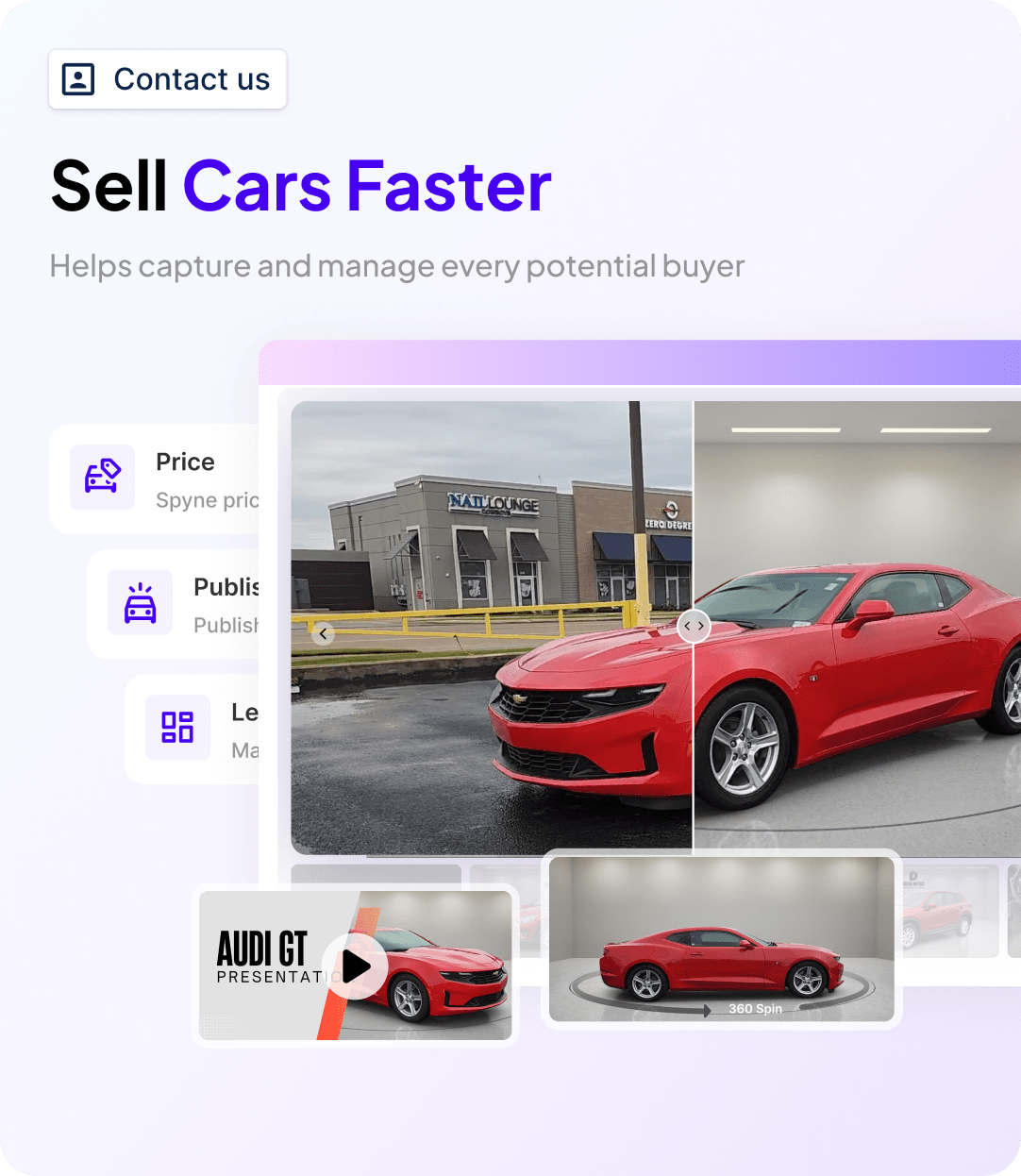
- A complete car walkaround exterior spin
- An interior car walkaround
- A short video tour
All from the same mobile device. No additional equipment. No separate workflow.
A fully merchandised VDP, stills, and video tours, can be produced in the same 20 to 30 minutes it previously took to capture stills alone. The listing gets richer without the intake process getting longer.
Stage 4: Marketplace Export and DMS Sync
Studio AI exports directly to Cars.com, AutoTrader, CarGurus, Facebook Marketplace, and OEM portals, in the correct format specifications for each platform. No manual resizing, no format conversion, no compliance check.
For dealerships with connected DMS platforms:
- Processed images sync directly to the vehicle record upon approval
- No manual file transfer or folder management
- The photo set reaches the listing the same day it is captured
This is how the 3-day frontline standard becomes achievable at any acquisition volume, without dedicated editing staff.
Stage 5: AI Damage Detection and Inspection Reports
Studio AI analyzes the same image set for visible dents, scratches, paint damage, and condition indicators, generating an AI-powered inspection report linked to the vehicle record.
This serves two functions:
- For the recon team: A structured condition audit at intake, tied to the vehicle record from day one
- For the buyer: A transparency document displayable on the VDP, documented condition captured at listing time, not disclosed only when the buyer arrives on lot
Shoppers who can see the condition has been assessed and disclosed are more likely to submit an inquiry, more likely to show for the test drive, and more likely to arrive with realistic price expectations. That has a direct impact on conversion rate and negotiation efficiency.

The Dealership Photo Editing Workflow That Scales: A Step-by-Step System
Whether you are running a 15-unit independent lot or a 300-unit franchise group, the same six-step system applies. The principles do not change, only the execution details at each volume level.
Step 1: Standardize Capture Before You Touch Editing
The most common source of inconsistent photo output is not the editing tool. It is the absence of a standardized capture protocol.
Every vehicle, every time, should produce the same shot list:
- Front driver-side and rear passenger-side at 45°
- Both full profiles
- Front and rear straight-on
- Engine bay, dashboard, odometer
- Front seats, rear seats, cargo area
- All four wheels
That is 18 shots minimum, captured in 15 to 20 minutes with a guided capture system. Consistent input produces consistent AI output, and a visual identity across your listings that looks deliberate rather than variable.
Step 2: Organize by VIN or Stock Number Before Upload
Mixed vehicle folders are one of the most time-consuming errors to catch and correct after the fact. Before uploading, images go into folders named by VIN or stock number, with date and photographer identifiers for tracking.
In Studio AI, this is handled automatically, each session is linked to a VIN scanned at the start, and every image stays associated with that record from capture to publication.
Step 3: Run Batch AI Processing
With a complete, organized set uploaded, Studio AI processes everything in parallel, in under 60 seconds for a 15-image set.
The three functions that should always run as a batch, never individually:
- Background replacement, consistent environment across the full set
- Exposure normalization, matching brightness and contrast so every image looks like it was shot in the same conditions
- Output formatting, correct crop, aspect ratio, and file spec for marketplace compliance
Selective edits, damage highlights, promotional overlays, detailed retouch, can be applied to specific images after the batch run.
Step 4: QC in 3 to 5 Minutes Per Vehicle
QC in a volume workflow is about catching outliers, not reviewing every image individually. Three checks cover it:
- Confirm all required angles are present
- Spot-check background removal on two or three complex-edge images (wheels and mirrors)
- Verify export specifications match the target marketplace
Brightness, color consistency, and crop alignment are handled by the AI. In Studio AI, the QC step takes 3 to 5 minutes per vehicle, not per image.
Step 5: Export With Compliance Built In
AutoTrader enforces 4:3 aspect ratio. Cars.com and CarGurus each have their own pixel dimension and file size requirements. A tool that exports in one generic format creates a manual conversion step for every platform, every vehicle.
Studio AI’s export engine produces correctly formatted files for each connected marketplace simultaneously, from the same processed image set. The upload step becomes a confirmation, not a formatting exercise.
Step 6: Sync to DMS and Go Live the Same Day
For dealerships with DMS integration: processed and approved images sync automatically to the vehicle record, triggering the listing update across all connected platforms. The vehicle goes from photographed to live the same day it arrived on lot.
For stores without DMS integration: the export package delivers named files organized by vehicle, ready for direct upload in 5 to 10 minutes per unit, still manageable within a same-day workflow.
The Most Common Car Photo Editing Mistakes Dealerships Make, and How to Fix Them
These errors rarely come from bad intentions. They come from workflows designed for lower volume that were never upgraded, and from general tools being asked to do a job they were not built for.
Mistake 1: Editing Each Image Individually
If your workflow involves opening each image, applying background removal, adjusting exposure, saving, and moving to the next, you are spending 2 to 4 hours per vehicle on a task that should take under 60 seconds.
The fix: Move to a platform where batch processing is the default mode of operation, not an add-on feature.
Mistake 2: Using General-Purpose Background Removal on Vehicle Images
Remove.bg and similar tools work on simple subjects against clean backgrounds. Vehicle silhouettes are not that. Alloy wheel spokes, door mirror stems, convertible soft tops, chrome trim, these edge cases produce visible artifacts: white halos around wheels, ghosted mirror edges, color bleed on chrome.
The fix: Use an automotive-trained AI model. The difference is not subtle, it is the gap between photos that look processed and photos that look like they were shot in a studio.
Mistake 3: Not Verifying Marketplace Compliance Before Publishing
An image uploaded to AutoTrader in 16:9 format does not get rejected. It gets padded with grey bars, making the vehicle appear smaller on the page. The image that looked clean in editing looks cheap in the listing.
The fix: Use an export engine that formats output for each marketplace automatically. Format conversion should never be a manual step.
Mistake 4: Treating the Photo Backlog as Normal
A multi-day gap between vehicle acquisition and live listing is not a normal operational reality. It is a cost center. Every day in the queue is a day the unit is invisible to the buyers actively searching online, and buyer interest peaks in the first 15 to 21 days on lot.
The fix: Treat photography as a Day 0 intake function. The vehicle arrives, gets photographed, gets processed, and goes live, same day. The workflow either supports that standard or it doesn’t.
Car Photo Editing for Small and Independent Used Car Lots
Small independent lots compete on the same platforms as franchise groups, same search results, same side-by-side comparisons, same buyer expectations. The difference is they have to match that presentation without dedicated staff, specialist equipment, or high per-vehicle budgets.
That is not a reason to accept lower photo quality. It is a reason to choose a workflow built for lean operations.
The Economics at 15 to 30 Units Per Month
| Manual Editing | Spyne Studio AI | |
| Time per vehicle | ~2 hours | Under 30 minutes |
| Monthly time (20 units) | ~40 hours | Under 10 hours |
| Monthly editing cost | ~$800 (at $20/hr) | Flat per-image pricing |
| Time-to-list delay | 2–4 days | Same day |
Reducing average time-to-list by just 2 days on 20 units per month, at $46 per vehicle per day in holding cost, recovers $1,840 per month, or $22,080 per year. For an independent lot running on tight margins, that number has a name and an owner.
No Photography Experience Required
The most practical advantage of guided capture for small lots: it removes the skill dependency entirely.
- No hiring a photographer
- No training a salesperson on angles and framing
- No receiving 8 unusable images because the person who was supposed to shoot the vehicle called in sick
Guided capture standardizes quality across whoever is available to hold the phone on any given day. For operators personally covering acquisition, sales, reconditioning, and content, this is not a minor convenience. It is the difference between consistent, professional listings and perpetually deferring photography to a tomorrow that never arrives.

Closing Thoughts
Buyers who start their search online, and according to Cox Automotive’s 2025 study, that is the majority of buyers, make their first qualification decision based on what they see in the first 8 seconds on a VDP. A clean, complete, professionally edited photo set keeps them on the page. Everything else follows from there.
The technology to make this happen at any inventory volume already exists. Spyne Studio AI processes a complete vehicle set in under 60 seconds with automotive-trained AI, exports to every major marketplace in the correct format, integrates with your DMS so images reach the listing automatically, and produces the visual consistency that turns a vehicle detail page into a trust-building sales asset.
If your current photo editing process is taking longer than that, if vehicles are sitting in an editing queue for 2, 3, or 4 days before they go live, the cost of that delay is calculable. The solution is a workflow decision, not a technology investment. See how Spyne Studio AI fits your dealership’s intake workflow. Book a demo with Spyne.