
| Executive Summary
Most dealership AI demos are designed to look identical, polished call recordings, sanitized dashboards, and resolution rate claims that don’t survive contact with real call volume. A dealer evaluating vendors needs five criteria that generic procurement checklists miss entirely: DMS integration depth, call quality oversight, multi-department workflow coverage, resolution rate methodology, and compliance architecture. Vini AI by Spyne leads on human QA oversight, with a trained team reviewing every call daily, a differentiator that matters most when a vendor’s AI gives a customer wrong inventory information. |
Forty-one percent of dealership calls go unanswered after hours, and the first responder wins 78% of deals, yet most dealers spend their vendor evaluation cycle watching curated demo videos instead of testing production behavior. The result is a contract signed on demo performance, not operational reality. This framework gives GSMs, Internet Directors, and Dealer Principals a structured method to cut through vendor noise and evaluate any AI platform against the criteria that actually determine whether it performs in your store. It covers five evaluation criteria, six vendor questions, three assessment protocols, a 30-day pilot structure, an escalation grading rubric, and a TCO model, built specifically for automotive retail.
Why Dealership AI Demos Are Misleading and What to Do Instead?
Every dealership AI vendor demo follows the same script: a clean call recording where the AI handles a trade-in inquiry perfectly, a dashboard showing a 90%+ resolution rate, and a case study from a high-volume store. None of that tells you how the system behaves on call number 847 on a Friday afternoon when three customers are asking about the same pre-owned F-150 that sold this morning.
The demo problem is structural, not dishonest. Vendors show you best-case call recordings pulled from thousands of interactions, not the calls where the AI gave wrong pricing, confused a service appointment with a sales inquiry, or failed to escalate when a customer explicitly asked to speak with a human. Resolution rate numbers compound the problem, most vendors count a call as “resolved” when the AI completed the interaction, regardless of whether the outcome was accurate or what happened after the customer hung up.
What to do instead: Ask for access to unresolved call logs and escalation reason breakdowns from a live customer account running your DMS. Ask the vendor to show you calls where the AI failed. A vendor who can show you failure handling with confidence is operating at a different level than one who only shows success rates.
Five Criteria Dealers Should Use to Evaluate Any AI Vendor
Most vendor evaluations stall at feature comparisons. These five criteria cut to what actually determines whether a platform performs in production, not in a demo environment.
1. DMS Integration Depth
What it means: Whether the AI writes data back to your DMS, appointments, customer records, call summaries, or only reads availability. A read-only integration means every AI-handled call still requires manual logging by your team, which eliminates most of the efficiency case.
Ask the vendor: Does your integration write appointments back to [CDK / Reynolds & Reynolds / Tekion / VinSolutions], or does it only pull availability? Can you show me a live appointment confirmation flowing into a DMS record right now?
A vendor who cannot demonstrate write-back live, in your DMS version, during the sales process will not be able to deliver it reliably after you sign.
2. Call Quality Oversight Model
What it means: The process by which failed, escalated, or factually incorrect calls are reviewed and corrected before they affect more customers. A vendor relying entirely on automated quality scoring has no mechanism to catch inventory errors, pricing mistakes, or compliance issues at the call level.
Ask the vendor: Who reviews flagged calls, automated systems or trained humans? How often, and what happens when a call contains a factual error about inventory or pricing?
Vini AI by Spyne reviews every call daily with a trained human QA team, not sampling, not automated flagging. Automotive conversations are context-dependent in ways algorithms miss: a customer referencing “the blue one” requires live inventory knowledge, not a sentiment score.
3. Multi-Department Workflow Coverage
What it means: Whether one platform handles sales calls, service scheduling, parts inquiries, and after-hours coverage, or whether each department requires a separate tool, a separate integration, and a separate vendor relationship.
Ask the vendor: Can your platform handle a service scheduling call and a sales lead inquiry within the same system? What does the handoff look like when a service call surfaces a sales opportunity?
Dealers running separate BDC tools, texting platforms, and scheduling layers are managing three vendor relationships and absorbing the integration cost every time one of them breaks. That cost compounds, the TCO section below puts a number on it.
4. Resolution Rate Methodology
What it means: The formula behind the vendor’s stated resolution rate, specifically whether partial resolutions count, whether escalated calls are marked as resolved, and whether you can see the outcomes of calls the AI did not handle successfully.
Ask the vendor: How do you define “resolved”? Are escalated calls counted in that number? Can I see unresolved call outcomes in your dashboard, not just the interactions the AI completed?
The denominator matters as much as the rate. A vendor reporting 91% resolution on calls the AI attempted, while the AI only attempted 70% of total inbound volume, is reporting a metric that does not reflect your store’s actual coverage.
5. Compliance Architecture
What it means: How the vendor manages TCPA consent verification, DNC scrubbing, state-specific call recording disclosure, and who holds contractual liability when a violation occurs.
Ask the vendor: Who holds TCPA liability if your system calls a number on the DNC list, your company or mine? What is your DNC scrubbing frequency and how do you handle state-specific consent rules?
A vendor who cannot give a direct answer on liability ownership is one whose contract requires legal review before you sign.
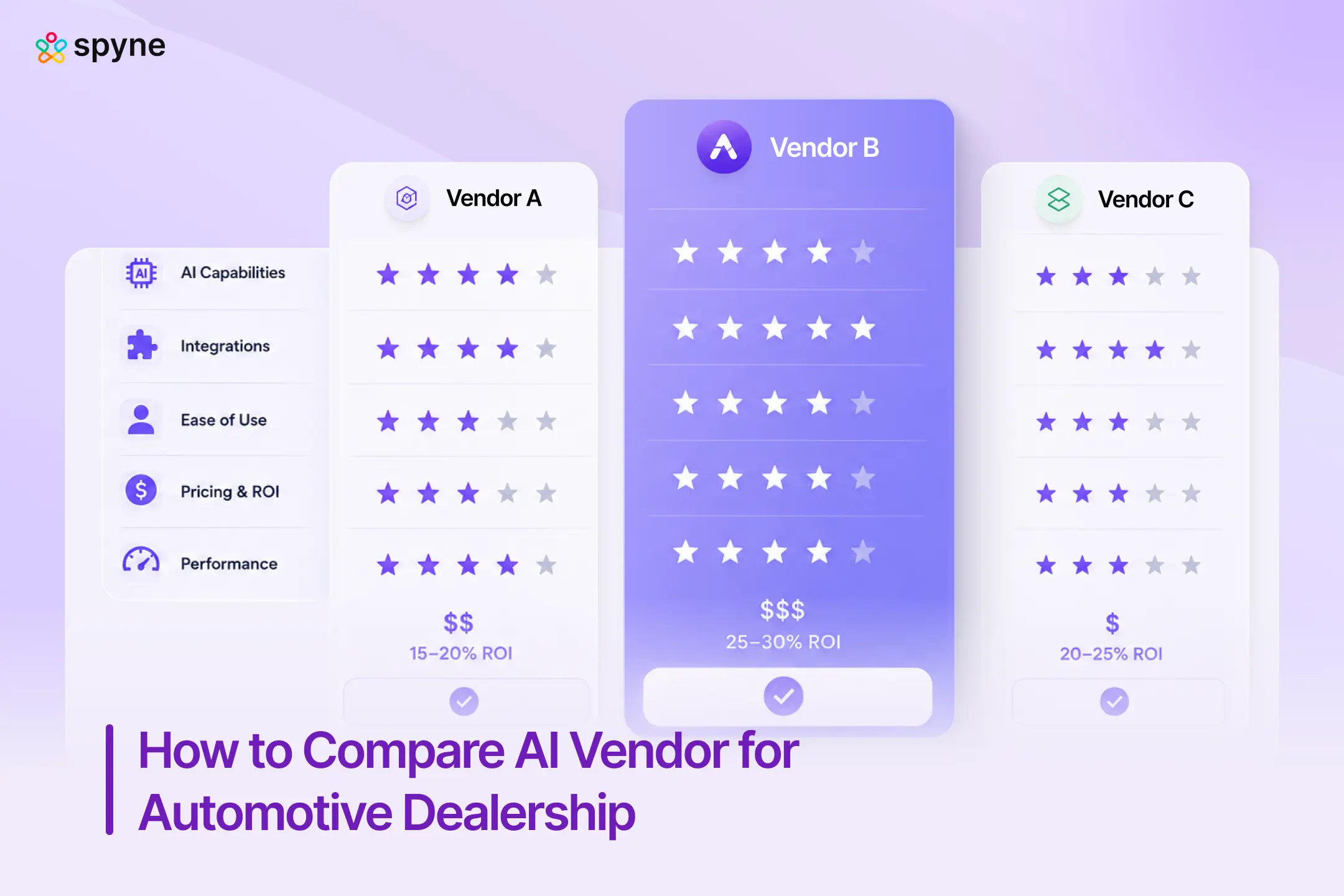
Dealership AI Vendor Scorecard: Weighted Evaluation Framework
Score each vendor from 1–10 in every category. Multiply by weight. Highest weighted total wins, provided it cleared the compliance and DMS integration minimums.
| Criterion | Weight | What a 10 looks like | Red flag (score 1–2) |
| DMS Integration Depth | 25% | Write-back confirmed on your specific DMS version; certified by DMS provider | “We support CDK” with no write-back demonstration |
| Automotive Domain Expertise | 20% | Understands VINs, trims, incentives, OEM requirements; 500+ active dealership customers | Generic AI platform with a dealership module bolted on |
| Call Quality Oversight | 20% | Human QA on every call, daily; escalation reason tagging visible in dashboard | Automated quality scoring only; no human review cadence |
| Resolution Rate Methodology | 15% | Unresolved outcomes visible; denominator clearly defined; ramp-period data available | Resolution rate quoted without methodology or denominator |
| Compliance Architecture | 10% | Vendor holds contractual TCPA/DNC liability; SOC2 certified; state-specific consent handling | Liability pushed entirely to dealer; no compliance SLA |
| Pricing Transparency and TCO | 5% | Per-agent or per-rooftop model with no hidden usage charges; three-year TCO calculable | Per-conversation or per-minute pricing that scales unpredictably |
| Implementation and Support | 5% | Dedicated CSM; defined deployment timeline; after-hours support SLA | Self-serve onboarding only; support by ticket queue |
Three Ways to Pressure-Test Any Dealership AI Vendor
Most evaluation gaps aren’t visible in a demo. They surface during integration QA, reference calls, and security review. These three protocols give a decision maker the mechanics to assess a platform the way an operator would, not the way a vendor’s sales deck wants you to.
Protocol 1: DMS integration verification, how to confirm write-back actually works
A vendor saying their platform integrates with your DMS is not the same as confirming that integration behaves correctly in production. Run this verification sequence before the contract is signed, not during the pilot:
Step 1: Request a sandbox demo on your exact DMS version. Not a CDK demo if you run CDK Drive. Not a VinSolutions demo on a generic test account. Your version, your field structure.
Step 2: Book a test appointment through the AI and watch where it lands. Confirm the appointment appears in your DMS service scheduler or CRM with the correct customer name, phone number, vehicle of interest, and appointment time. If any field is blank or incorrect, you are looking at a read-only integration that populates a subset of fields.
Step 3: Trigger an escalation mid-call and confirm the call record writes back. The escalation transcript, call duration, and reason for escalation should appear in the customer’s CRM record automatically. If your BDC team has to manually note the call outcome, the integration is incomplete regardless of what the contract says.
Step 4: Ask for a data dictionary. A vendor with a true native integration can show you exactly which DMS fields their system writes to, in which direction, and at what frequency. If they cannot produce this, the integration is wrapper-based and will break on the next DMS version update.
Protocol 2: Reference customer call guide, what to ask beyond “are you happy with it”
A vendor reference call is not a testimonial session. It is an operational audit conducted through a peer who has already lived the implementation. Ask these six questions and evaluate the answers for specificity, not positivity:
- What DMS are you running and did write-back work from day one, or did it require custom configuration? A vague “it mostly works” answer signals unresolved integration debt.
- What was your escalation rate at 30 days versus 90 days? A system that improves meaningfully between month one and month three is training correctly. A flat escalation rate suggests the AI has reached its capability ceiling.
- Have you ever had a TCPA or DNC issue traced back to the AI’s outbound behavior? If yes, how did the vendor respond, did they take liability or redirect it to the dealer?
- What does the vendor’s support response look like when an integration breaks on a Saturday? This is the question that reveals the actual support tier, not the SLA document.
- How long did it take the AI to learn your inventory language and stop confusing trim levels or giving stale pricing? The ramp period is real and vendors understate it. Get an honest number.
- If you were starting over, what would you test in the demo that you didn’t test? This question surfaces the failure mode the reference discovered after signing.
Protocol 3: Data security and compliance verification, what to confirm before any customer data flows
Dealership AI platforms sit inside your customer data pipeline. Before granting API access to your DMS or CRM, confirm these five items in writing, not just verbally in a sales call:
- Customer data storage location and retention policy. Where is call audio, transcript data, and customer PII stored? In the vendor’s cloud, a third-party cloud, or on-premise? What is the data retention period and what happens to customer data if you cancel the contract?
- Model training data usage. Confirm in writing whether your dealership’s call data is used to train the vendor’s shared AI model. Some vendors use customer interaction data to improve their general model across all clients. If your customer conversations are being used for model training without explicit consent, that creates both TCPA exposure and a reputational risk.
- Compliance certifications on file. Request current documentation for SOC2 Type II, TCPA compliance protocols, and GDPR alignment if your store has international customers. A vendor who can produce these within 48 hours of a request is operating a compliance program. A vendor who asks you to wait two weeks is building one in response to your question.
- Encryption standards for data in transit and at rest. AES-256 at rest and TLS 1.2 or higher in transit are the current industry floor. Anything below these standards should trigger a security review with your IT team before signing.
- Audit log availability. Can you pull a log of every interaction the AI had with a customer, every escalation, and every outbound contact attempt, with timestamps? This is the documentation you need if a customer files a TCPA complaint. If the vendor cannot produce a complete audit trail, you are carrying compliance risk with no paper trail to defend against it.
Six Questions Every Dealer Should Ask Their AI Vendor
These questions are specific to automotive procurement. Generic software evaluation checklists will not surface the gaps that matter in a dealership environment.
- Does your DMS integration write appointments back, or only read availability? This is the single most important operational question. Read-only integrations require your team to manually log every AI-booked appointment into the DMS, which defeats most of the efficiency argument. Vini AI confirms write-back on CDK, Reynolds & Reynolds, Tekion, and VinSolutions.
- Can I speak to a reference customer running my exact DMS? Not a customer who uses your DMS family, your specific DMS version. Integration behavior varies significantly across DMS releases, and a reference on CDK Global 7.x does not tell you much about CDK Drive performance.
- What happens to a call your AI can’t resolve, where does it go and how fast? This is where most vendors have the weakest answer. An AI that hits an edge case and silently ends the call is a different system from one that escalates to a live human with full call context in under 30 seconds. Vini AI escalates with call transcript and context intact, so the human picking up doesn’t start from zero.
- How do you define resolution rate and what’s excluded from that number? Ask for the denominator. If a vendor’s 91% resolution rate is calculated from calls where the AI attempted a response and succeeded, ask what percentage of total inbound volume the AI attempted at all. Partial handling and silent escalations are frequently excluded from published numbers.
- Who holds TCPA liability if your system calls a number on the DNC list? The answer you want: the vendor indemnifies the dealer for violations arising from their system’s failure to scrub against the DNC correctly. The answer that requires legal review: “we scrub regularly” without a contractual liability statement. Spyne is SOC2, TCPA, GDPR, and DNC compliant, with compliance responsibility built into the service agreement.
- What does your 30-day pilot structure look like and what are the success metrics? A vendor who cannot define pilot success in measurable terms before launch is asking you to evaluate subjectively after the fact. The next section gives you the pilot framework to use as a baseline.
The 30-Day Dealership AI Pilot Framework
A 30-day pilot without pre-defined baselines is not an evaluation, it is a paid proof-of-concept that benefits the vendor more than the dealer.
Before launch, establish four baselines: current call answer rate, current appointment booking rate from inbound calls, CRM record completeness rate on inbound leads, and after-hours lead response time.
# Week 1, Baseline validation and integration QA: Confirm DMS write-back is functioning. Pull the first 50 AI-handled call recordings and review 10 manually. Check that escalations are reaching the right team members with context intact. Do not make go/no-go judgments based on week-one performance, AI systems improve as they train on your specific inventory language, pricing structure, and customer vocabulary.
# Week 2, Call volume and resolution quality: Track call answer rate, escalation rate, and appointment booking rate daily. Compare to pre-pilot baseline. Flag any calls where the AI gave factually incorrect inventory information and review the escalation pathway. A properly functioning system should show a measurable improvement in after-hours call answer rate by day 10.
# Week 3, CRM data quality audit: Pull CRM records created by the AI during weeks 1 and 2. Evaluate record completeness: does each AI-created contact have a phone number, inquiry type, vehicle of interest, and appointment status? Incomplete CRM records downstream of the AI are a DMS integration failure, not a training issue.
# Week 4, ROI calculation and expansion decision: Compare appointment booking rate, call answer rate, and CRM completeness against the pre-pilot baseline. Use this formula for ROI: (incremental appointments booked × average front-end gross per deal × your close rate on appointments) minus the monthly platform cost. If the number is positive and the compliance and integration checks passed, the expansion decision is straightforward.
KPIs that trigger an expansion vs. renegotiation decision:
| Metric | Expand | Renegotiate |
| Call answer rate improvement | +15% or more vs. baseline | Flat or declining |
| Appointment booking rate | +10% or more vs. baseline | Under 5% improvement |
| CRM record completeness | 90%+ complete records | Under 75% completeness |
| Escalation rate | Under 20% of handled calls | Over 35% |
How to Read a Dealership AI Dashboard the Right Way?
Standard vendor dashboards show resolution rate, call volume handled, and appointments booked. Those three numbers can look strong while your store’s actual customer experience is deteriorating. The metrics most dashboards exclude by default are the ones that tell the real story.
What to request that isn’t on the standard dashboard:
- Unresolved call outcomes, what happened after the AI ended or escalated a call. Did the customer book elsewhere? Did they call back? Most platforms log the AI’s performance, not the customer’s outcome.
- Escalation reason breakdown, which specific query types are failing, at what rate, and whether the failure pattern is improving over time. A system that escalates 18% of calls because customers ask about financing terms has a different problem than one that escalates 18% of calls because customers are asking about inventory that sold yesterday.
- Calls where the AI gave incorrect inventory information, this requires a manual review workflow, not an automated flag. Vini AI’s daily human QA process specifically reviews calls where inventory information was requested against current lot data, which is the only reliable way to catch these errors before they affect customer trust.
- Compliance flag rates, how often the AI encountered a potential DNC or consent issue during the conversation, and how it was handled. TCPA class-action filings are up 26.8% year-over-year through February 2026 (Itero, 2026), which means compliance flag visibility is not optional for dealerships running high call volume.
Single-platform vs. Multiple tools: Cost of Running Multiple AI Tools at Your Dealership
The case for consolidation is not primarily about feature breadth. It is about the hidden cost of managing multiple vendor relationships and the integration maintenance required between them.
A dealership running a separate BDC AI tool, a texting platform, a call tracking layer, and a scheduling integration is typically paying $800–$1,400 per month per tool, managing four separate onboarding timelines, four support relationships, and four sets of API dependencies. When one integration breaks, and they break, the cost is measured in missed calls, not support tickets.
Three-year TCO comparison (100-unit rooftop estimate):
| Approach | Year 1 | Year 2 | Year 3 | 3-Year Total |
| Stacked tools (4 vendors) | $52,800 | $57,600 | $63,000 | $173,400 |
| Single consolidated platform | $18,000–$24,000 | $18,000–$24,000 | $18,000–$24,000 | $54,000–$72,000 |
| Delta | $100,000–$120,000 |
Estimates based on published pricing ranges for standalone BDC AI, texting platform, call tracking, and scheduling tools. Does not include implementation cost, IT time for integration maintenance, or revenue impact from integration downtime.
Vini AI covers sales calls, service scheduling, after-hours lead response, and outbound lead follow-up within a single platform at $1,000–$1,500 per agent per month, eliminating three of the four vendor relationships in the stacked model, and the integration maintenance cost between them.
How dealership AI vendors price their platforms, and which models create hidden costs?
Understanding the pricing structure before you negotiate matters as much as the quoted number. The five most common models in automotive AI carry different risk profiles at scale:
| Pricing model | How it works | Risk at volume |
| Per rooftop / per store | Flat monthly fee per location | Predictable; best for multi-store groups. |
| Per agent | Fee per deployed AI agent or department | Scales linearly; easy to forecast. |
| Per conversation | Charged per AI-handled customer interaction | Costs spike during high-traffic months; hard to cap. |
| Per call minute | Charged by call duration | Penalizes thorough conversations; incentivizes short calls. |
| Revenue-share | Vendor takes a percentage of attributed sales | Alignment on outcomes but complex attribution disputes. |
The per-conversation and per-minute models look cheapest at low volume and most expensive once you are at full deployment. Build your TCO model well above your average monthly call volume, seasonal spikes and year-end pushes typically run 20–40% above baseline, and high-traffic months are precisely when you need the AI most and when a per-conversation bill will be largest.
What to test during a dealership AI demo, beyond the curated recording?
Every vendor shows you a successful call. Your job in a demo is to test the failure modes. Run these five scenarios against any vendor live system before you sign:
- Ask about a specific used vehicle that is no longer in inventory, does the AI acknowledge it is gone, or does it give stale information?
- Request a service appointment for a time slot that is fully booked, does the AI offer an alternative or stall?
- Ask a financing question the AI is unlikely to know precisely, such as a specific APR tier for a particular credit score, does it admit uncertainty and escalate, or does it guess?
- Interrupt mid-conversation and ask to speak with a human, how long does escalation take, and does the human receive call context?
- Ask about a vehicle trim or incentive from the current OEM program, does the AI know it, and is the answer accurate against your current offers?
A system that handles scenarios 1, 3, and 4 correctly is operating at a production-ready standard. Scenarios 2 and 5 reveal inventory synchronization depth and OEM data integration quality, both of which are invisible in a vendor demo reel.
How to grade escalation quality, the dimension most evaluations skip entirely?
Escalation is where dealership AI fails silently. The AI hands off the call, the vendor counts it as an escalation handled, and no one tracks what happened to the customer after that moment. Industry data makes the scale of this problem concrete: when dealership AI could not handle a request and attempted to transfer to a human, those handoffs failed 56% of the time according to the 2025 Pied Piper Prospect Satisfaction Index, meaning more than half of all escalation attempts resulted in a customer left without help. A rigorous evaluation grades escalation quality on four dimensions:
- Context transfer completeness. When the AI escalates to a human, does the live agent receive the full call transcript, the customer’s name, their stated vehicle of interest, and the reason the AI could not resolve the query?
Grade it: full context = pass, partial context = conditional pass requiring a configuration fix, no context = fail.
- Escalation latency. How many seconds does the customer wait between the AI acknowledging the escalation and a human picking up? Under 30 seconds is acceptable. Over 60 seconds during a test scenario means over 90 seconds during a real peak-traffic period when the BDC is handling multiple calls. Measure it during the demo with a stopwatch, not by asking the vendor.
- After-hours escalation routing. If the AI cannot resolve a call at 9 PM on a Sunday, where does it go? Voicemail is a failure state for a store paying for AI coverage. The correct answer is: the AI books a callback for the next business day, sends an SMS confirmation to the customer, and creates a CRM record with the callback queued. Ask the vendor to demonstrate this scenario specifically.
- Escalation reason tagging. After a call escalates, does the dashboard log why, inventory question, pricing dispute, customer requested human, compliance trigger, or AI confidence threshold hit? A vendor who cannot show you escalation reason breakdowns cannot tell you which query types their AI is failing on. That data is the primary input to improving the system over time.
Escalation quality grading rubric:
| Dimension | Pass | Conditional pass | Fail |
| Context transfer | Full transcript + vehicle of interest + reason | Transcript only, no vehicle context | No context transferred |
| Escalation latency | Under 30 seconds | 30–60 seconds | Over 60 seconds |
| After-hours routing | SMS confirmation + CRM record + callback queue | CRM record only, no SMS | Voicemail or silent drop |
| Reason tagging | Visible in dashboard by category | Available on request | Not tracked |

Closing Thoughts
The dealer who evaluates AI vendors on demo quality will sign a contract with the best sales team, not the best product. The dealer who evaluates on DMS write-back confirmation, escalation reason transparency, resolution rate methodology, and contractual compliance liability will end up with a system that performs when the BDC is at lunch and a qualified buyer calls about a unit that sold this morning. These are the moments that determine whether your AI investment generates measurable gross or just reduces your call volume metric.
The framework in this post gives you the structure to tell the difference. If you want to run it against a live system, with your actual DMS, your call volume, and your store’s specific escalation patterns, Spyne’s 30-day Vini AI pilot gives you every KPI from this framework against real traffic from your store. Book a demo with Spyne.