
A vehicle that isn’t listed online isn’t for sale, it’s just costing you money. CDK Global puts the carrying cost of an unmerchandised unit at up to $50 per day when floorplan interest, insurance, and depreciation are factored in. For a store moving 150 units a month, a four-day gap between acquisition and live listing is an $18,000-per-month problem hiding inside a workflow nobody is measuring.
This guide covers how high-volume US dealerships photograph their full inventory efficiently in 2026, the right equipment, the standard shot process, how to handle post-processing at scale, and where AI tools have genuinely changed the cost structure.
How Dealership Inventory Photography Affects Vehicle Turn Rate?
Most dealerships assign photography to the marketing function. The stores moving inventory fastest treat it as a direct input to sales velocity, because it is. A vehicle without a complete, professional photo set is invisible to the majority of buyers before they ever consider picking up the phone.
Put simply, a vehicle sitting in your lot without photos is generating holding cost and zero buyer interest simultaneously. The photography workflow is where that problem either gets solved or it compounds.
What Does a Professional Car Dealership Photo Set Include?
Professional listing photos are not about artistic photography. They are about giving the buyer a complete, accurate, and consistent view of every vehicle, the kind of view that answers their questions before they ask them.
#1- The standard shot list
Most major platforms surface listings with complete photo sets more prominently than incomplete ones. A VDP-ready set covers:
- Front three-quarter, the primary thumbnail on most platforms; make it count
- Driver side profile, full vehicle in frame, nothing cut off at the bumpers
- Rear three-quarter
- Passenger side profile
- Front straight-on
- Rear straight-on
- Front interior from the driver side
- Rear seating area
- Dashboard and instrument cluster, odometer visible, no warning lights showing
- Engine bay
- Condition close-ups, any notable features, selling points, or honest condition notes
That is 11 to 15 shots per vehicle. A trained lot associate following this sequence completes the full set in 8 to 12 minutes.
#2- Lighting conditions that work
Natural light is the most practical and cost-effective option for lot photography. A few principles that hold regardless of the equipment you’re using:
- Shoot with the sun behind the photographer, front-lit vehicles render paint color most accurately
- South-facing aprons or walls create consistent light angles throughout the morning and early afternoon
- Overcast days produce even, shadow-free light, often better for color accuracy than bright direct sun
- Avoid shooting into glass-heavy backgrounds where reflections overpower the vehicle
- Early morning and late afternoon light avoids the harsh midday shadows that distort body lines
#3- Backgrounds that perform on listing platforms
White and light grey backgrounds consistently outperform raw lot backgrounds. The practical reasons:
- Maximum contrast between vehicle and background makes trim lines and body shape immediately readable
- Neutral backgrounds render paint color accurately, competing hues in lot environments distort buyer perception
- Cars.com, AutoTrader, and CarGurus all preference clean, consistent backgrounds in their search ranking logic
- Uniform backgrounds across your inventory make the dealership look like a single, professionally operated organization, not a rotating cast of whoever had a phone that day
A clean concrete apron with the right light angle, consistent framing, and solid post-processing can match what a physical studio produces, without building one.
Equipment for Dealership Inventory Photography: What Actually Works in 2026
The equipment question has a clearer answer in 2026 than it did five years ago. The limiting factor for dealership photography is no longer the camera, it is what happens to the image after capture.
1. Traditional DSLR setups
Entry-level DSLR kits remain common at larger franchise stores and independents with a dedicated staff member handling photography. A typical kit:
- Camera body: Canon EOS Rebel T8i or Sony a6400, both handle exterior and interior lighting reliably
- Lens: 18–55mm kit lens covers the full range of lot photography angles
- Tripod: essential for consistent framing when multiple staff rotate through
- Circular polarizing filter: manages windshield and hood reflections on bright days; $20–$60
- Budget: $600–$1,200 for a complete kit
The trade-off is workflow dependency. A DSLR setup needs a staff member who knows the equipment. When that person is unavailable, the workflow stalls. At high-volume acquisition periods, a busy auction Friday, a camera that only one person can operate is a liability.
2. Smartphone-based workflows
Modern flagship smartphones, iPhone 15 Pro, Samsung Galaxy S25, Google Pixel 9, capture sufficient resolution and dynamic range for every major listing platform. CDK Global notes that a recent iPhone or higher-end Android works well for dealership inventory photography.
The advantage is coverage. When any lot associate with a company phone can shoot a vehicle to spec, the photography workflow scales with headcount rather than with specialist availability. The camera stops being the constraint.
Useful add-ons for smartphone lot photography:
- Clip-on circular polarizing lens: $15–$40, reduces reflections from windshields and body panels
- Phone gimbal or stabilizer: useful if capturing vehicle walkarounds for VDP video
- Laminated shot list: a simple angle checklist reduces variation across rotating staff.
3. Vehicle walkarounds and video
Cars.com, AutoTrader, and Autolist have expanded support for walkaround video on VDP listings. Listings with walkthrough video content see higher average time-on-page than static-only listings, per platform reporting. A basic walkaround, slow exterior pass, interior overview, under hood if relevant, can be captured on a smartphone gimbal in under five minutes.
For stores already managing static photo workflows efficiently, walkaround video is a worthwhile incremental upgrade for CPO vehicles, high-ASP inventory, and any vehicle where the static shots alone don’t convey the full condition story. It is a supplement to a well-executed photo set, not a replacement for it.
Why Photo Editing Is the Biggest Bottleneck in Dealership Inventory Workflows?
The shoot itself is not the problem. An 11 to 15 shot set takes 8 to 12 minutes to capture. The bottleneck is everything after: file transfer from device to desktop, waiting for an editing slot, background removal one image at a time, manual resizing for each platform, and individual uploads per marketplace.
In traditional dealership operations, that post-shoot workflow adds two to four hours per vehicle. A dealership taking in 10 trades on a Tuesday does not have a photography problem, it has an editing and distribution problem.
CarStudio research (2026) found that AI batch processing reduces per-vehicle image editing time from 20–40 minutes to under 3 minutes, a reduction of more than 85%.
Where the time goes in a manual workflow:
- File transfer from phone to desktop: 5–10 minutes per vehicle
- Background removal (manual selection/masking): 10–20 minutes per set
- Exposure and color correction: 5–10 minutes per set
- License plate blur: 2–5 minutes per set
- Resizing for each platform: 5–10 minutes
- Manual upload per marketplace: 30–60 minutes across 3–5 platforms
Three Approaches to Dealership Photography
US dealerships run one of three operational models for inventory photography. Each carries a different cost structure, coverage profile, and output quality at scale.
Manual in-house photography
A designated staff member shoots vehicles using a DSLR or smartphone, edits using consumer tools (Lightroom, Canva, or OEM-supplied software), and uploads manually per platform.
Works well when:
- Volume is under 30–40 units per month and one person can manage the workload.
- A staff member has genuine photography interest and takes ownership of the process.
- The dealership has a fixed shooting location with consistent lighting.
Breaks down when:
- Volume exceeds 50 units per month and the editing queue starts backing up
- Multiple staff rotate through and output consistency collapses
- The designated person leaves, is unavailable, or gets pulled into sales coverage
- Acquisition peaks, auctions, fleet buys, create sudden backlogs.
Outsourced photography vendor
Third-party automotive photography services, SmartLot360, SnapLot 360, regional lot photography businesses, visit on a fixed schedule, typically two to three times per week. Per-vehicle pricing: $25–$75 depending on output specs and volume.
Works well when:
- Consistent, scheduled shoots are enough to cover normal acquisition pace
- The dealership wants professional output without building internal capability
- Volume and acquisition days are predictable
Breaks down when:
- Vehicles arrive between visit days and sit unlisted over the weekend, at $50/day, a Friday acquisition waiting until Monday is a $150 holding cost before the car has been seen by a single buyer
- Acquisition pace spikes beyond what a twice-weekly schedule can absorb
- The group has multiple rooftops and managing separate vendor relationships per location adds overhead
- The vendor misses a visit, changes pricing, or loses the rep you worked with
AI-powered capture and processing
Staff photograph vehicles using a guided capture workflow on any mobile device. Images upload directly to a cloud processing platform. Background replacement, exposure correction, license plate blur, and multi-platform syndication apply automatically.
Works well when:
- Volume and acquisition timing are unpredictable, any staff member can shoot any vehicle any day
- The dealership needs consistent output across locations or across rotating staff
- Carrying cost math makes same-day listing a priority
- Outsourced vendor costs are eating into per-vehicle margin
Worth knowing:
- Input quality still matters, the AI works from what it receives; a blurry or severely underexposed shot still needs to be reshot.
- Platform integrations need to be configured correctly at setup; this takes a few days, not weeks.
- The guided capture workflow produces the best results when paired with a simple, standardized shot list
At a Glance: Three Photography Models Compared
| Factor | Manual In-House | Outsourced Vendor | AI-Powered(Like Spyne AI) |
| Per-vehicle cost | Staff time only | $25–$75 | Under $5 at scale |
| Time to live listing | 2–4 days | 1–3 days | Under 30 minutes |
| Expertise needed | Yes | No, vendor handles | No, guided capture |
| Output consistency | Low, varies by staff | Medium | High, standardized |
| Weekend / holiday coverage | Staff dependent | Usually unavailable | Always available |
| Platform syndication | Manual per platform | Manual by dealer | Automated |
| Scales at acquisition peaks | Breaks down | Schedule doesn’t flex | Handles any volume |
| Multi-location consistency | Difficult to enforce | Requires separate contracts | Single platform, all locations |

How Automated Car Photo Editing Works for Dealerships?
Automated post-processing is not a single feature. It is a sequence of tasks that previously required a trained editor working through each image manually. Understanding what is happening in each step helps you evaluate what output to expect and what input quality is required.
1. Background replacement
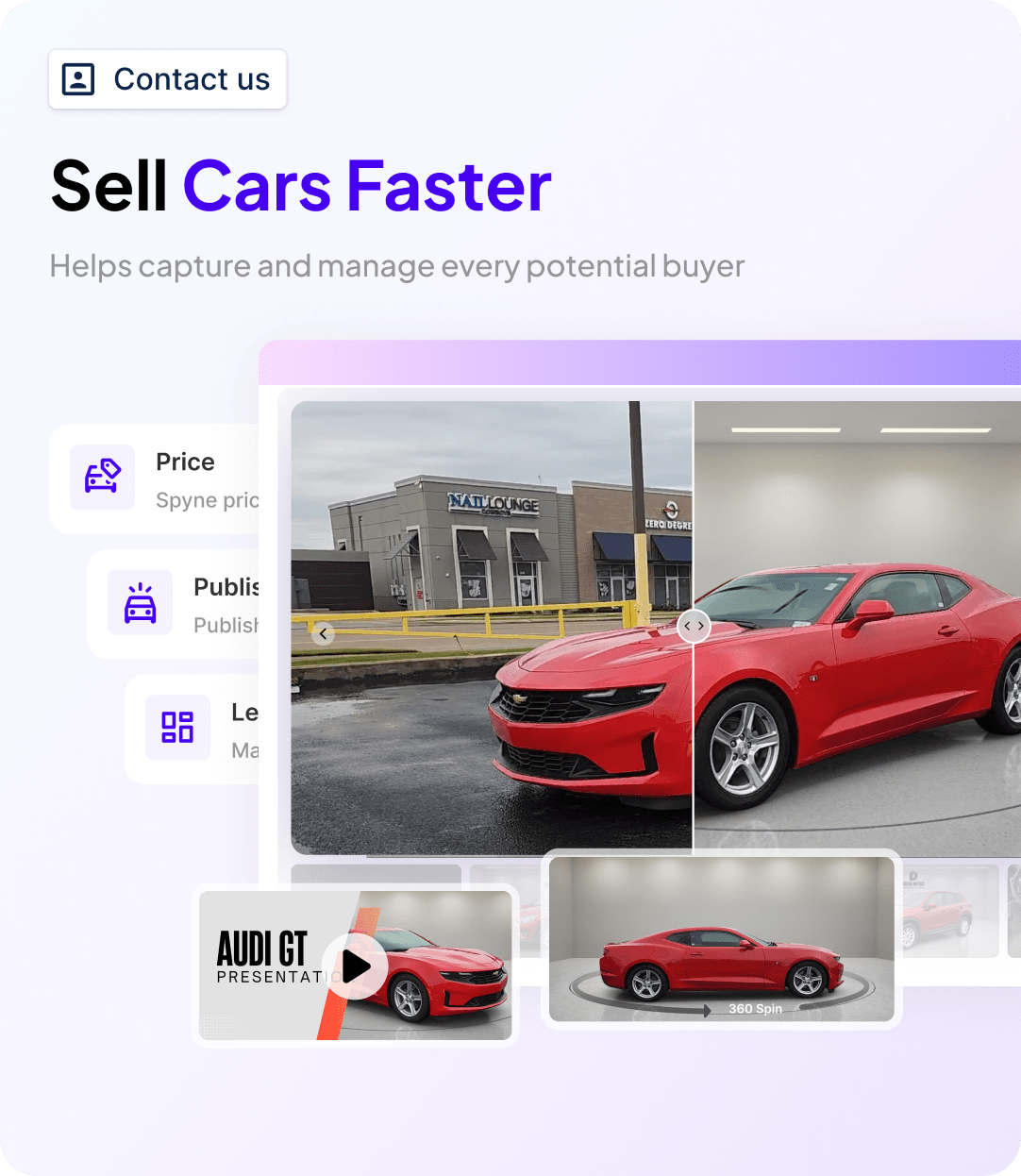
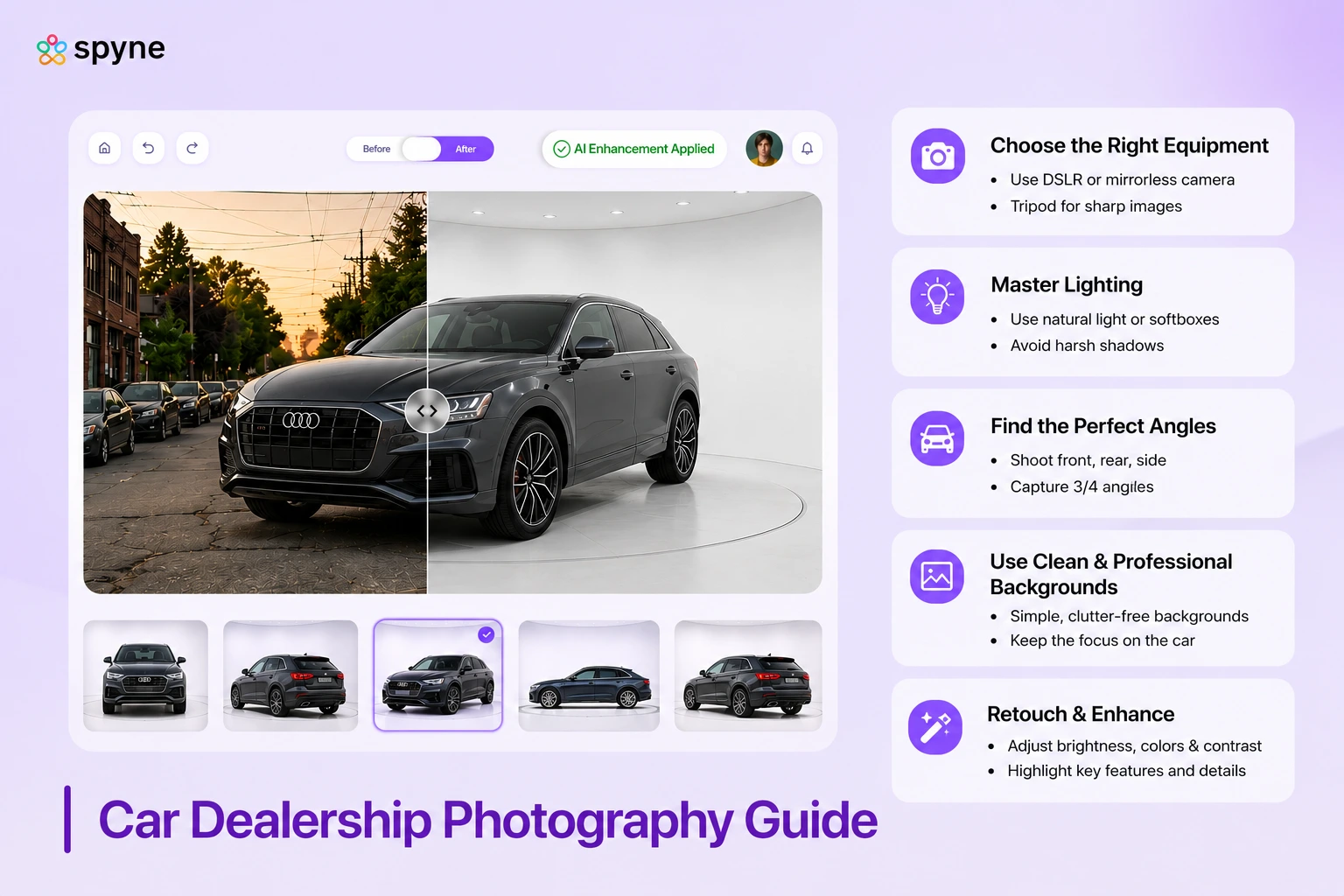
The platform analyzes the vehicle silhouette in each image, isolates the car from the surrounding lot environment, and replaces the background with a selected alternative, white studio, light grey, branded overlay, or lifestyle setting. The vehicle itself is unchanged: color, trim, and all visible condition details are preserved exactly as captured.
What this solves: a lot of background problems. Most dealerships shoot against concrete aprons, neighboring vehicles, overhead lines, and whatever else is in the background that day. Background replacement makes every vehicle look like it was shot in a controlled environment, regardless of lot conditions.
2. Exposure and color normalization
Variations in shoot conditions, overcast versus sunny, morning versus afternoon, service bay versus open lot, produce images with inconsistent brightness and color temperature. Automated normalization brings every image in a set to the same standard, so a vehicle shot in February on a grey morning looks as sharp as one shot in July at noon.
3. License plate blur
Many major listing platforms recommend or require that license plates be obscured in uploaded images. Under privacy frameworks applied in several US states and federally in certain contexts, displaying identifiable plates in public-facing listings can create compliance exposure. Automated plate detection finds and blurs the plate in every image without a manual step.
4. Platform-specific formatting and export
Cars.com, AutoTrader, CarGurus, Facebook Marketplace, and dealer website platforms each have different image dimension, file size, and format requirements. Manually resizing and reformatting for five platforms per vehicle is 10–20 minutes of work that adds nothing to the listing quality. Automated export handles this as part of the processing pipeline, outputting platform-ready files for every connected marketplace simultaneously.
How Multi-Location Dealerships Standardize Inventory Photography Across Rooftops
A dealer group with five rooftops across different US markets faces a photography challenge that single-point stores do not: making every location’s inventory look like it comes from the same professionally-run organization, regardless of who shot each vehicle and under what conditions.
Without a centralized system, the group’s inventory feed looks visually fragmented. Buyers comparing vehicles across multiple stores in a group, which happens increasingly on aggregator platforms, see what appears to be five different businesses. That fragmentation directly undermines the brand investment franchise and branded independent groups make.
The three options groups typically consider:
- Roaming staff photographer across locations: creates scheduling bottlenecks; doesn’t scale with acquisitions.
- Separate vendor contracts per rooftop: multiplies management complexity, cost, and inconsistency risk.
- Cloud-based AI platform: one system applies the same background standards and output specs to every vehicle from every location, no separate contracts, no training per site
For groups running CDK, DealerSocket, Tekion, or Reynolds & Reynolds, most AI photography platforms offer direct DMS integration, processed images feed into the inventory record automatically rather than requiring a manual upload step per vehicle.
Implementing an Automated Photography Workflow: A Step-by-Step Approach
Moving from a manual editing process to an automated workflow does not require a lengthy project. Most platforms are designed for rapid deployment. The critical steps are operational, not technical.
- Audit your current workflow. Document how many vehicles you photograph per week, who handles editing, how long post-processing takes per vehicle, and what platforms you upload to. This baseline makes ROI measurable after you switch.
- Standardize your capture process. Automation amplifies consistency, it cannot create it. Establish a fixed shot list, assign angles to a sequence, and put it on a laminated card in the lot. The AI works best when it receives comparable inputs every time.
- Configure your platform integrations. Ensure the platform connects to every marketplace where you list: Cars.com, AutoTrader, CarGurus, Facebook Marketplace, your website provider. Set up your preferred backgrounds and any branded overlays for OEM co-op compliance.
- Enable batch processing. Upload an entire vehicle’s photo set at once rather than image by image. Batch processing is what drives the time savings, individual uploads eliminate the efficiency gain.
- Build a brief quality review into the workflow. A 30-second check before a vehicle goes live catches the occasional underexposed shot or framing issue before it appears on the listing. Over time, reviewing outputs also sharpens the capture process by surfacing recurring problems, a particular angle that consistently misses the mark, or a lighting condition that trips up the AI.
AI-Powered Inventory Photography for Dealerships: How Spyne Studio AI Works?
Spyne’s Studio AI is built specifically for the dealership post-production problem. It handles background replacement, exposure normalization, license plate blur, and multi-platform syndication automatically, so the editing queue that drives listing delays disappears.
What it covers end to end:
- Guided capture checklist on any mobile device, any staff member, any day.
- Direct upload from device to cloud, no file transfer step.
- AI processes the full set in seconds, background, exposure, plate blur, formatting.
- 30-second quality review before the vehicle goes live.
- Automated syndication to Cars.com, AutoTrader, CarGurus, Facebook Marketplace, and dealer website platforms simultaneously.
- Over 100 background options, white studio, branded overlays, OEM co-op templates.
- Single platform account for multi-location groups, identical standards across every rooftop.
Per-vehicle cost runs under $5 at scale. For stores paying $25–$75 per vehicle to an outsourced vendor, the direct savings recover the platform cost quickly, before factoring in the carrying cost impact of listing vehicles two to three days faster.

Closing Thoughts
The dealerships listing vehicles fastest in 2026 are not doing something dramatically different with their cameras. They have removed the manual steps between capture and live listing, and that single change affects every metric downstream: holding cost, VDP views, lead volume, and turn rate.
The business case is straightforward. Consistent, professional photos produce better VDP performance without touching price. Faster listings reduce carrying cost without changing acquisition strategy. Both come from building a repeatable system, not from hiring better photographers or paying more per vehicle to a vendor who shows up twice a week.
If your current process still has an editing queue or a vendor schedule controlling when vehicles go live, that gap has a measurable daily cost. Book a demo with Spyne Studio AI to see the platform on your actual inventory workflow, and calculate what listing one to three days faster is worth to your monthly gross.