
Nearly 90% of car shoppers say that photos are the first thing influencing their decision to engage with a listing. Meanwhile, every day a vehicle sits on the lot without being properly merchandised can cost a dealership up to $50 in carrying costs, floorplan interest, depreciation, and lost opportunity costs combined.
The math is straightforward: the faster your cars go from “acquired” to “listed online with professional visuals,” the faster they sell. And the quality of those visuals directly impacts whether a shopper clicks through to your VDP or scrolls past to a competitor.
That’s why dealership inventory photography has shifted from a task handled by whoever is free on the lot to a tech-driven workflow powered by purpose-built software. Today’s dealership photo tools don’t just take pictures. They guide the shoot, edit images automatically, and syndicate final assets to your website and every marketplace simultaneously.
What Are the Three Core Types of Dealership Photo Software?
There is no single “one app” that every dealership uses. Instead, most dealerships rely on a stack of tools that covers three distinct functions:
Layer 1: Capture
Guided photo and video apps that ensure consistency across every vehicle, regardless of who is behind the camera. These replace the need for trained photographers by walking any staff member through a standardized angle sequence
Layer 2: Edit
AI-powered editing platforms that handle background removal, lighting correction, branding overlays, license plate masking, and batch processing. These have largely replaced manual Photoshop work for volume-oriented dealerships.
Layer 3: Publish and Syndicate
Inventory management and merchandising platforms that push finished images and videos to websites, VDPs, and third-party marketplaces like AutoTrader, Cars.com, and CarGurus, often with automated descriptions and pricing overlays.
Some tools handle only one layer. The most valuable solutions, true merchandising platforms, cover all three in a single workflow.
Top Tools for Taking Consistent Car Inventory Photos
These are mobile or tablet-based apps designed to standardize the photo-taking process at the lot level. Their primary job is to ensure that every vehicle is shot from the same angles, in the same sequence, with VIN-linked metadata attached.
1. Spyne AI
A modern, AI-first merchandising solution built for speed, scale, and consistency. Spyne’s guided photo capture app helps dealership staff capture vehicle images using just a smartphone, with real-time angle guidance and automated quality checks to ensure every shot meets listing standards. Each image is instantly tagged with VIN-linked metadata and synced to the platform.
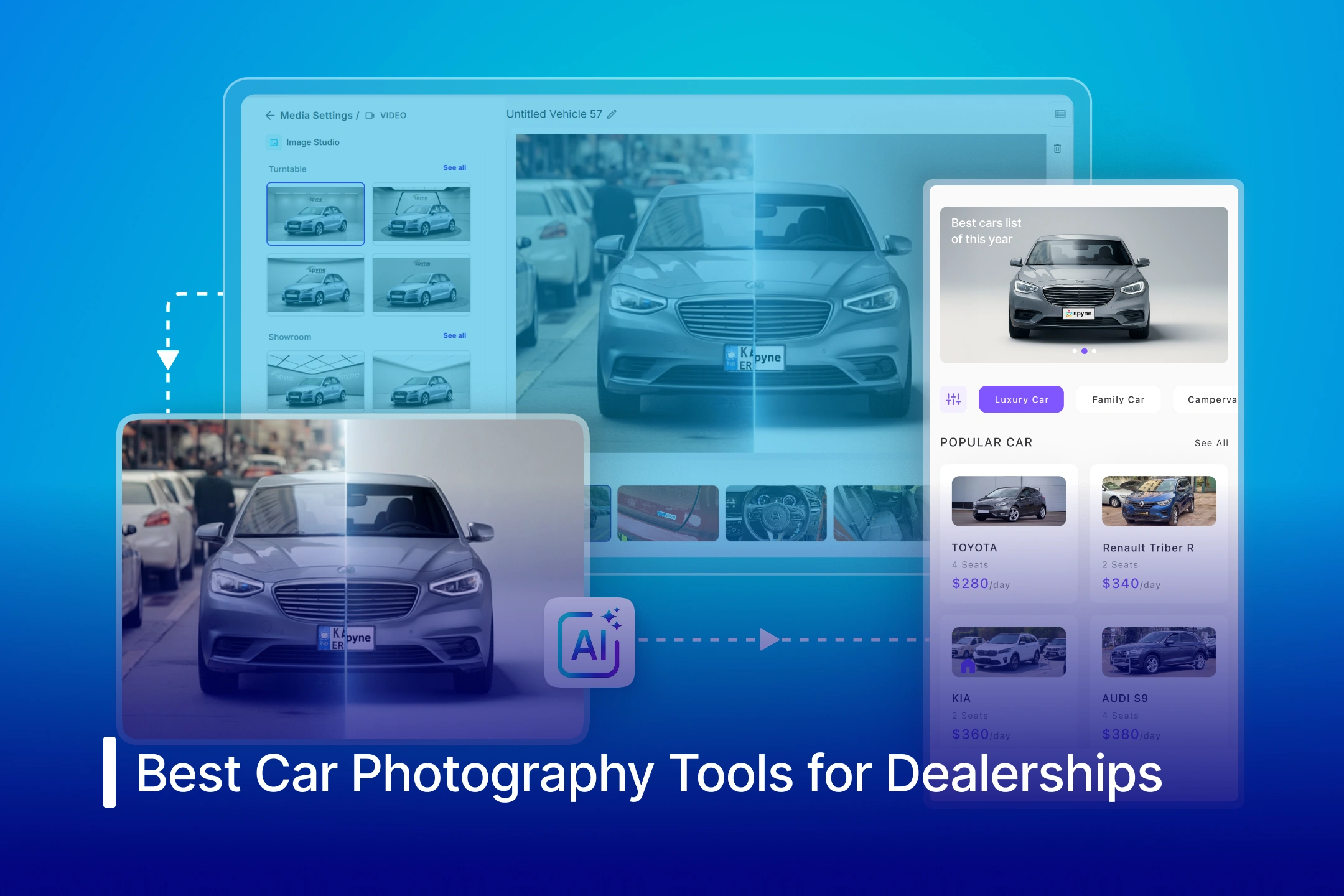
Once captured, Spyne’s Studio AI transforms raw images into studio-quality visuals with AI-powered background replacement, lighting correction, shadow rendering, and branding. The platform then automatically sequences, optimizes, and publishes listings across marketplaces and dealer websites in a single click.
Key strength: Speed with automation at scale. Unlike traditional tools that rely on manual workflows or external editing, Spyne combines guided capture, AI enhancement, and instant publishing into one unified system, helping dealerships go live faster, maintain visual consistency, and convert more leads without increasing operational effort.
2. Dealer Image Pro (Photo Assistant)
One of the more established names in dealership photography. Photo Assistant uses patented wireframe overlays on an iPad Pro to walk the photographer through each shot. It supports flat photos, video clips, and interior/exterior car tours. All content uploads to their cloud platform (Autoport), where AI editing, sequencing, and distribution happen automatically.
Key strength: End-to-end managed service, they provide equipment, training, and daily performance reporting. Best suited for dealerships that want a turnkey solution where the vendor handles the entire photo workflow.
3. DealerVision
A merchandising platform that has been in the market since 1996. DealerVision supports in-house photo and video production using smartphones, tablets, or DSLR cameras that the team already owns. It includes angle guides for consistent shots, background replacement, video tour tools, and new car photo cloning (shoot a model once, apply to matching new inventory).
Key strength: Flexibility, it works with devices you already have and is not limited to a specific hardware ecosystem.
4. Glo3D
Goes beyond still photos into interactive experiences. Glo3D offers car virtual tour photography, video tours, engine videos, and AI-generated backgrounds. It also bundles lead capture tools (test drive scheduling, vehicle history report exchanges) directly into the media experience on VDPs.
Key strength: Interactive media, virtual and video tours that give online shoppers a closer-to-in-person experience.
5. CDK Vehicle Inventory Suite
CDK Global, one of the largest DMS providers in the industry, integrated an AI-powered photo tool directly into its Vehicle Inventory Suite. The tool enables dealerships to capture, brand, and publish vehicle photos quickly without a separate vendor relationship.
Key strength: Native DMS integration, if you’re already running CDK, photos flow directly into your existing data and listing workflows.
AI Tools for Car Photo Editing and Background Replacement
This is the category where the most rapid innovation is happening. AI photo editing tools have fundamentally changed the economics of dealership photography by eliminating the need for physical photo booths, manual Photoshop work, or outsourced editing services.
Here’s what these tools typically handle automatically:
- Background removal and replacement
- Lighting and color correction
- Shadow generation for realistic composites
- License plate blurring or branded plate overlays
- Dealership logo and watermark placement
- Vehicle centering and image cropping to standard dimensions
- Batch processing of hundreds of images at once
Popular standalone AI photo editors used by dealerships:
- Spyne: An AI-powered Studio AI built for dealerships, offers various car photo editing tools like background remover, lighting correction, shadow rendering, and branded overlays. Designed for speed and scale, Spyne processes images in seconds with consistent, studio-quality output across large inventory volumes.
- CarCutter: AI-driven background replacement and image enhancement focused on maintaining brand consistency across multi-rooftop dealer groups. Used by large dealership networks.
- Autobackgrounding: It offers one-click background removal with studio, showroom, and custom background options. Claims over 28,000 dealership customers and also bundles virtual car tour creation.
- MotorCut: A mobile-first car photo editor popular with European dealers. Provides “Half Cut” (background only) and “Full Cut” (background and surface) editing modes with branded templates.
- Cropy AI: A mobile app used by dealers in over 15 countries for background removal, license plate branding, and image enhancement. Works well for smaller operations that need quick, phone-based editing.
- Car Studio AI: Offers background removal, lighting enhancement, and license plate blur automation. Positions itself as a virtual car photo booth for dealerships that want to skip physical studio setups entirely.
Best Tools for End-to-End Dealership Merchandising
The most significant shift in dealership photography isn’t any single tool. It’s the move toward integrated merchandising platforms that handle the entire pipeline from photo capture to listing publication in one system. These platforms eliminate the fragmented ‘capture in one app, edit in another, upload through a third’ workflow that still slows down many dealerships.
1. Spyne’s Studio AI
Spyne approaches the problem as an AI-native platform that combines all three layers, capture, edit, and publish, without requiring separate tools or vendor relationships for each step. More on this below.
2. Dealer Specialties (VinMotion + RapidLot)
One of the largest dealership photography services in the U.S. Their RapidLot software handles photo capture on the lot, and VinMotion manages editing, AI background removal, merchandising, and syndication. They also offer managed photography services where their team comes to your lot to shoot.
3. VinSolutions / HomeNet (Cox Automotive)
Part of the Cox Automotive ecosystem. Their inventory management system distributes vehicle data and photos across listing sites from a centralized platform. Integrated with vAuto for pricing and Dealer.com for website management.
Comparing Top Dealership Inventory Photo Tools in 2026
| Platform | Guided Capture | AI Background Removal | Virtual / Video Tours | DMS Integration | Batch Processing | Best For |
| Spyne (Studio AI) | Yes (mobile app) | Yes | Yes | Yes | Yes | Dealerships wanting one AI platform for capture,edit and publish |
| Dealer Image Pro | Yes (iPad, wireframes) | Yes | Yes (virtual tour) | Yes | Yes | Dealers wanting a fully managed turnkey service |
| DealerVision | Yes (any device) | Yes | Yes (video tour) | Yes | Yes | In-house teams that want flexibility with their own devices |
| CarCutter | No | Yes | No | Yes | Yes | Multi-rooftop groups focused on brand-consistent editing |
| Glo3D | Yes | Yes | Yes | Yes | Yes | Dealers prioritizing interactive media experiences |
| CDK Vehicle Inventory Suite | Yes | Yes | Limited | Native (CDK DMS) | Yes | CDK DMS customers want built-in photo tools |
| Autobackgrounding.com | No | Yes | Yes (virtual tour) | Yes | Yes | Volume dealers needing fast background replacement |
| MotorCut | No | Yes | No | Limited | Yes | European dealers want mobile-first editing |
| Dealer Specialties (VinMotion) | Yes (via managed service) | Yes | Yes (rotating car visuals) | Yes | Yes | Dealers preferring outsourced photography + merchandising |
Limitations of Traditional Inventory Editing Software
Before AI tools became dominant, dealerships relied on general-purpose editing software. Some still do, but these tools are increasingly impractical for inventory-volume workflows:
- Adobe Photoshop: It remains the gold standard for manual photo editing, but it requires skilled operators and is far too slow for dealerships processing dozens of vehicles daily. At 15–30 minutes per vehicle for manual background removal alone, it doesn’t scale.
- Adobe Lightroom: This is useful for batch color correction and exposure adjustment, but lacks the automotive-specific features (background replacement, plate masking, VIN-linked workflows) that purpose-built tools provide.
- DSLR cameras with physical photo booths: These still produce the highest raw image quality, but the capital investment ($30,000–$100,000+ for a proper booth setup) and the physical space required are prohibitive for most dealerships. AI virtual studio tools now deliver comparable visual results from smartphone photos at a fraction of the cost.
The industry consensus is clear: for inventory photography at scale, AI-powered tools have replaced manual editing workflows. The ROI comes from speed, consistency, and labor savings, not from marginal image quality improvements that most online shoppers cannot distinguish.
How to Choose the Right Photo Software for Your Dealership?
The best tool depends on your dealership’s size, existing tech stack, and internal capabilities. Here are the key questions to ask:
How many vehicles do you photograph per week?
If you’re processing fewer than 20 vehicles weekly, a standalone AI editor like Cropy or CarBG may suffice. At 50+ vehicles per week, you need a platform with batch processing, guided capture, and automated syndication.
Do you want to keep photography in-house or outsource it?
Managed services like Dealer Specialties and Dealer Image Pro handle everything for you, but come at a higher per-vehicle cost. Self-service platforms like Spyne and DealerVision give you more control and lower marginal costs, but require your team to do the shooting.
What DMS and website provider do you use?
Native integrations matter. If you’re on CDK, their built-in photo tool may be the path of least resistance. If you use an independent website provider, look for platforms with open API syndication to all major listing sites.
Do you need Rotating car virtual and video tours?
Not every tool offers interactive media. If car virtual and video tours are part of your merchandising strategy (and increasingly, they should be), filter for platforms that include these natively rather than requiring a separate vendor.
What’s your time-to-market goal?
The best platforms can take a vehicle from “captured on the lot” to “live on your website and all marketplaces” in under five minutes. If your current workflow takes days, that gap represents real money in floorplan costs and missed buyer engagement.
How Spyne’s AI Merchandising Platform Fits Dealership Workflows?
Spyne’s Merchandising AI is built as a single platform that covers the entire inventory photo lifecycle, from guided capture through AI editing to multi-platform publishing, without requiring separate tools for each step. Here’s what the platform includes:
1. AI-Guided Photo Capture
Spyne’s mobile app provides on-screen guidance so any staff member can capture consistent, multi-angle photos and video tours using a smartphone. No specialized equipment or photography training is required.
2. Automated Image Studio
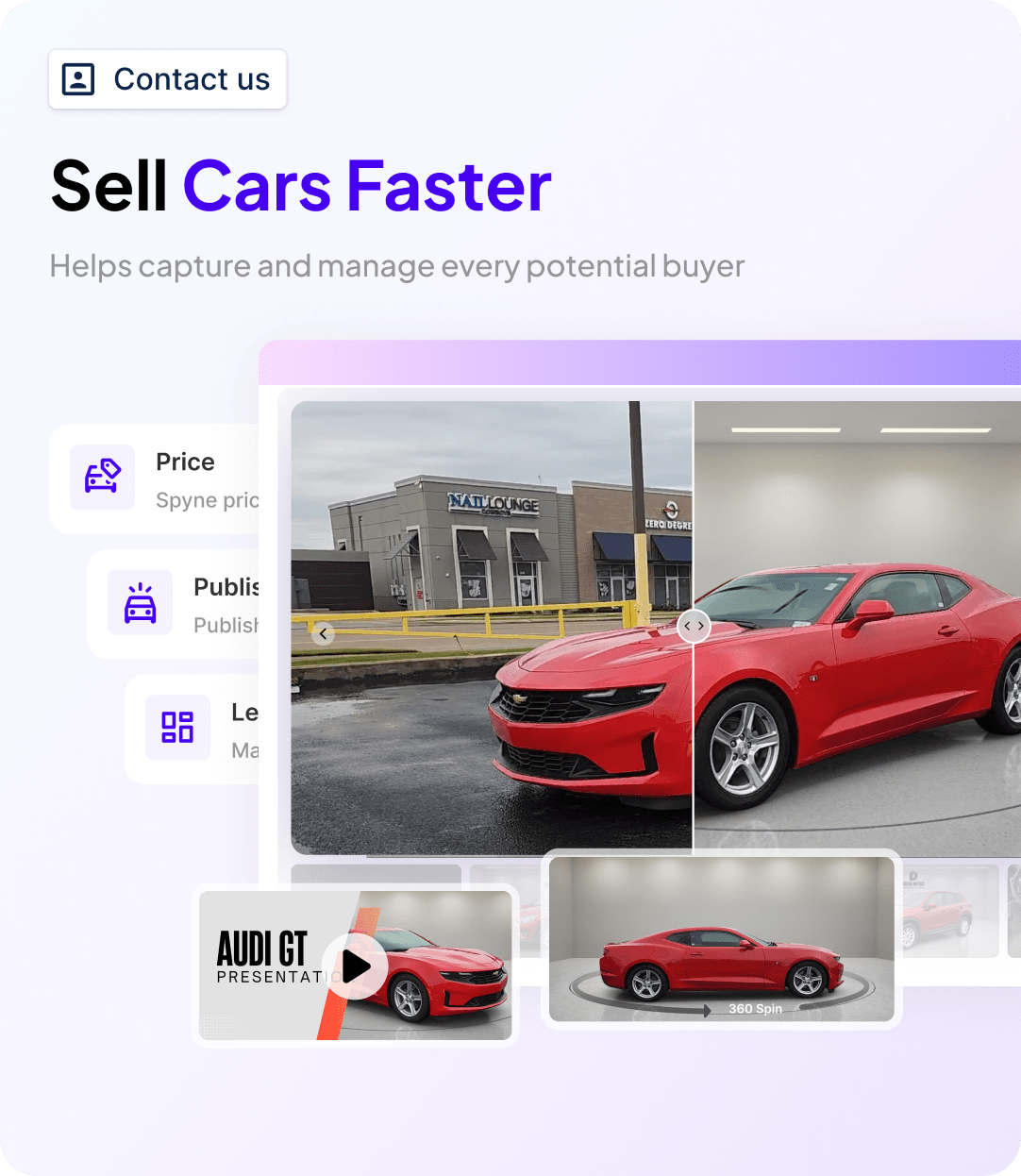
Once photos are captured (or uploaded from existing inventory), Spyne’s AI processes them in seconds. This includes background removal and replacement (with 100+ studio and showroom backgrounds or custom branded options), lighting correction, shadow generation, license plate blur or branded overlay, and automatic vehicle centering and cropping.
3. Car Tours and Video
Beyond still images, Spyne generates interactive car virtual tours and video tours from the captured content, giving shoppers an immersive experience on VDPs without requiring a separate panorama camera or video editing workflow.
4. Vehicle Inspection Reports
The platform includes AI-powered dent and damage detection that generates inspection reports buyers can review before visiting the dealership, building pre-visit confidence.
5. One-Click Syndication
Finished assets, photos, tours, videos, and AI-generated descriptions, publish directly to your website, VDPs, and third-party marketplaces. Integration with major CRM and DMS systems means vehicle data stays synchronized across your tech stack.
6. Measurable Impact
Dealerships using Spyne have reported up to 67% improvement in online engagement and significantly faster time-to-list, which directly reduces aged inventory risk when floorplan costs are high.

Final Take
Spyne is built for independent and mid-sized dealerships that want enterprise-grade merchandising, without the cost, complexity, or tool sprawl. If you’re juggling multiple tools for photos, editing, and listings, or taking days to get inventory live, Spyne brings everything into one system and cuts that timeline down to minutes.
For larger dealer groups, Spyne scales effortlessly. With API and DMS integrations, it fits into your existing workflows while maintaining AI-driven consistency across every rooftop, so output quality stays high, regardless of team size or staff changes.
Book a demo to see how Spyne fits your dealership.