
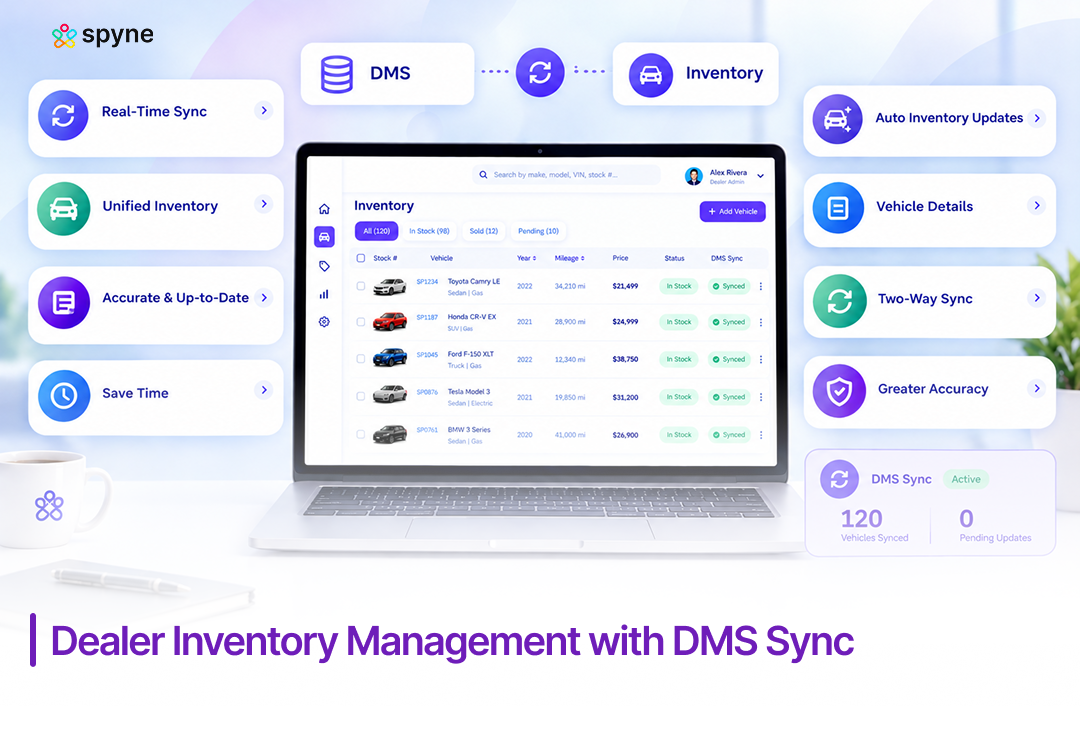

Executive SummaryDealer inventory management with DMS sync means keeping vehicle records identical across your DMS, website, and marketplace listings the moment a price, status, or VIN detail changes. Cox Automotive’s July 2026 data puts used-vehicle inventory at 46 days’ supply nationally, at an average listing price of $27,028, so any lag between a sale and a listing update directly costs lot turn. This piece breaks down how DMS sync actually works, how to set it up, and which sync-specific mistakes cause phantom listings and lost leads. |
A car sells at 7 p.m. Your DMS logs it. Your website still shows it available at 9 a.m. the next day, and a shopper drives in for a vehicle that’s already gone. That gap, not a lack of inventory software, is what breaks dealer inventory management with DMS sync at most stores. Cox Automotive’s July 2026 data shows the average dealership carries 46 days’ worth of used-vehicle supply, so every hour a listing stays wrong is an hour working against turn. Here’s how sync actually works, how to set it up, and the mistakes that quietly break it.
What Is Dealer Inventory Management With DMS Sync?
Dealer inventory management with DMS sync is the practice of keeping vehicle inventory data identical across your dealer management system (DMS), your website, your CRM, and every marketplace you list on, so a change made in one place shows up everywhere else automatically. The DMS holds the system of record: VIN, stock number, cost, accounting entries, and deal data. A separate inventory or merchandising layer usually handles photos, descriptions, and market-based pricing. DMS sync is the connective layer between the two.
Without it, a dealership runs two versions of the truth. The DMS says a vehicle sold at 6 p.m. The website, syndication feed, or CRM still shows it as available until a batch job catches up, sometimes hours later. That gap is where phantom listings, duplicate leads, and wasted ad spend come from. Dealer inventory management with DMS sync closes that gap by moving status, price, and vehicle detail changes between systems as they happen, instead of on a fixed schedule.
How Does Dealer Inventory Management With DMS Sync Actually Work?
Dealer inventory management with DMS sync works by moving three types of data, status, price, and vehicle detail, between a system of record and every connected channel, using one of two basic patterns.
One-way sync pulls data out of the DMS into inventory, website, and marketplace tools, but nothing flows back in. This is common and simple to set up, but it means a photo added in your merchandising tool, or a manual price override, never reaches the DMS itself.
Two-way sync updates both directions. A price change made in the DMS updates the website and marketplace feeds, and a status change made in the merchandising tool (a vehicle marked sold at the point of sale, for example) writes back to the DMS. This is what most dealers actually mean when they ask for dealer inventory management with DMS sync, and it’s the harder pattern to implement well.
The other variable is timing. Batch sync runs on a schedule, often overnight or every few hours, pulling a full export and reconciling it. Real-time API sync pushes each change the moment it happens, using event-driven updates rather than a scheduled file drop. Cox Automotive’s July 2026 inventory data shows sub-$15,000 vehicles moving in as little as 32.2 days, faster than the 46-day market average, which is exactly the segment where a batch delay costs the most: a fast-moving unit that shows “available” for six extra hours after it sells is a fast-moving unit generating a duplicate lead.
Most inventory and DMS platforms support some combination of these patterns. The right one depends on how many systems need to stay aligned and how fast your inventory actually turns.
How to Sync Dealer Inventory With DMS: A 6-Step Setup
How to sync dealer inventory with DMS starts with defining which system owns each field, then connecting that system to every channel that needs the data. Here’s the sequence that holds up across single-rooftop and multi-location dealer groups:
1. Name one source of truth
Decide, in writing, whether the DMS or the inventory and merchandising platform owns price, status, and VIN data. Most dealerships keep the DMS as the system of record for accounting and legal deal data, and let the inventory layer own merchandising fields like photos and descriptions.
2. Standardize identifiers first
Every vehicle record needs a consistent VIN, stock number, and naming convention before sync goes live. Mismatched formats are the single most common reason a sync silently fails.
3. Choose your connection method
API-based, real-time sync is the standard for dealerships that turn inventory fast; scheduled batch or FTP exports still work for lower-volume, slower-turning lots.
4. Map fields explicitly
Confirm price, mileage, status, options, and photos map correctly in both directions, not just on the initial test vehicle.
5. Set automatic de-listing rules
A sold vehicle should drop from the website and every marketplace feed the moment the DMS marks it sold, not on the next scheduled export.
6. Monitor with sync logs
Set up alerts for failed updates, missing fields, or vehicles that stop reporting, so a broken sync gets caught in hours, not weeks.
Multi-location dealer groups should run this same sequence per rooftop, then confirm group-wide visibility works before assuming how to sync dealer inventory with DMS is fully solved storewide.

DMS Inventory Sync Strategies That Actually Reduce Data Drift
DMS inventory sync strategies that hold up in practice focus on prevention, not just faster syncing. A few DMS inventory sync strategies matter more than others once a dealership scales past one rooftop:
1. Separate the ledger from merchandising intelligence
Let the DMS handle cost, accounting, and deal data, and let a dedicated inventory platform own pricing intelligence, photos, and syndication, connected by sync rather than duplicated by hand.
2. Price by data, not memory
Pull live market comparables into the same system that triggers your sync, so a price change and a listing update happen in one action instead of two.
3. Treat acquisition as the first sync point
A trade-in or auction purchase should enter the DMS and the inventory system on the same day it’s acquired, not after reconditioning finishes.
4. Shorten time-to-frontline on recon
The longer a vehicle sits between acquisition and “front-line ready,” the more chances there are for its status to drift between systems.
5. Use group-wide visibility for multi-rooftop dealers
A sync setup that works for one location needs a shared view across locations, or a vehicle at Rooftop A can show as available at Rooftop B long after it’s sold.
6. Reconcile on a fixed cadence, even with real-time sync
Real-time sync catches most gaps, but a weekly manual spot-check catches the ones a broken connection missed.
Common Dealer Inventory DMS Sync Mistakes
Common dealer inventory DMS sync mistakes tend to repeat across dealerships of every size:
- Treating batch sync as real-time: A nightly or four-times-a-day export feels automated, but it still leaves a window where a sold vehicle shows as available.
- Skipping VIN and stock-number standardization: Inconsistent formats between the DMS and the inventory platform are the most common reason two systems silently stop matching records.
- No source-of-truth decision: When both the DMS and the merchandising tool can edit the same field, price and status conflicts become routine, and nobody notices until a customer does.
- Ignoring sync logs: A failed sync often fails quietly. Without alerts on missing fields or stalled updates, a dealership can run for weeks on stale data without knowing it.
- Forgetting multi-location reconciliation: Group-wide dealers sometimes sync each rooftop to its own DMS instance correctly, then never confirm the group-level view matches.
- Assuming one-way sync is enough: A price override made in a merchandising tool that never reaches the DMS creates a mismatch the next time someone pulls a deal sheet.
Dealer Inventory DMS Sync Tips for Daily Operations
Dealer inventory DMS sync tips that reduce day-to-day friction:
- Check sync status every morning, not just when something looks wrong. A five-minute daily check catches a stalled sync before it compounds into a week of bad data.
- Assign one person per rooftop as the sync owner. Shared ownership usually means no ownership when a sync error shows up.
- Test the full loop after every DMS or inventory software update. A vendor update can quietly change field mappings that worked the day before.
- Keep a written field-mapping reference. When a new team member joins, they should be able to see exactly which system owns price, status, and photos without asking.
- Audit aging inventory against sync timestamps monthly. A vehicle that hasn’t updated in the expected window is usually a sync problem, not an inventory problem.
- Build a fallback manual-check process. Even reliable, real-time sync setups benefit from knowing what to check by hand if the connection drops.
These dealer inventory DMS sync tips apply whether a dealership runs real-time API sync or a scheduled batch process.
Best Automotive DMS Inventory Sync Software to Evaluate
Best automotive DMS inventory sync software shares a few traits regardless of vendor: real-time or near-real-time API connections rather than pure batch exports, VIN-anchored records, automatic de-listing on sold status, and visible sync logs a manager can actually check. The table below compares five platforms dealers commonly evaluate for DMS sync specifically, not general inventory management.
| Software | Best For | DMS Sync Approach |
| Spyne Inventory Management | Dealerships that want AI merchandising layered on top of an existing DMS | Two-way sync for status, price, and photos, with automatic de-listing on sold vehicles |
| DealerCenter | Independent dealers wanting DMS and inventory sync in one native system | Built-in sync since inventory and DMS share the same database |
| Frazer DMS | Small and mid-size used-car lots | Native inventory tracking tied directly to accounting and deal records |
| Dealertrack DMS | Franchise and multi-rooftop dealer groups | Two-way sync across the Cox Automotive ecosystem, including marketplace feeds |
| HomeNet Automotive | Dealers who want a dedicated syndication layer over an existing DMS | Pulls DMS data and pushes updates out to listing sites and social channels |
DealerCenter and Frazer DMS are built for independent and small-to-midsize used-car dealers that want DMS and inventory sync in one system rather than two connected ones. Dealertrack DMS fits franchise and multi-rooftop groups already inside the Cox Automotive ecosystem. HomeNet Automotive is a dedicated syndication and merchandising layer that sits on top of an existing DMS rather than replacing it, the same category Spyne Inventory Management operates in. Dealerships still comparing best automotive DMS inventory sync options should start with whichever system already anchors their VIN data today, then evaluate how well each option connects to it.
Spyne Inventory Management: Dealer Inventory Management Software With DMS Sync
Spyne Inventory Management is built as the merchandising and sync layer that sits on top of a dealership’s existing DMS, not a replacement for it. It connects to the DMS to pull vehicle, price, and status data, then pushes updates back out across the website, marketplaces, and connected CRM the moment something changes. For dealerships trying to solve dealer inventory management with DMS sync specifically, this is where the two-way connection actually lives.
1. Two-Way DMS Data Synchronization
Price changes made in Spyne push to the DMS, and status changes made in the DMS, a vehicle marked sold, for instance, push back to Spyne and every connected channel. A dealership no longer has to choose which system to trust, because both stay aligned automatically.
2. Real-Time Status and Price Updates Across Channels
When a vehicle’s status or price changes, the update reaches the website, marketplace listings, and CRM within the same sync cycle, not on the next scheduled batch. This is what closes the gap between a car selling and every channel showing it as sold.
3. VIN-Anchored Single Source of Truth
Every vehicle record is tied to its VIN across every connected system, so a stock-number mismatch or duplicate entry gets flagged instead of silently creating two versions of the same car.
4. Sync Monitoring, Logs, and Failure Alerts
Spyne surfaces which vehicles synced successfully, which failed, and why, so a stalled connection gets caught the same day instead of showing up as a wrong listing weeks later.
5. Automated De-Listing on Sold Status
The moment a vehicle is marked sold in the DMS, Spyne removes it from the website and every marketplace feed it was syndicated to, closing the exact gap that creates phantom listings and duplicate leads.
6. Multi-Location and Multi-Rooftop Sync
Dealer groups running multiple rooftops on the same or different DMS instances get a group-wide view where a vehicle’s status is consistent no matter which location a shopper or manager is looking from.
7. Field-Level Mapping for Accurate Vehicle Data
Price, mileage, trim, options, and photos map field by field between the DMS and Spyne, so merchandising updates don’t get lost or overwritten when data moves between systems.
8. Inventory Health Reporting Across Synced Channels
Aging, pricing, and sync-status data roll up into one report, so a manager can see which vehicles are out of sync and which are simply sitting too long, without pulling two separate reports from two separate systems.

Conclusion
Dealer inventory management with DMS sync is not about buying a bigger system. It’s about deciding which platform owns which field, connecting that decision through real-time or near-real-time sync rather than a nightly batch, and watching the logs closely enough to catch a failure before a customer does. Cox Automotive’s July 2026 data puts the average dealership at 46 days’ used-vehicle supply, at an average listing price of $27,028, so every hour a listing stays wrong works directly against turn. Get the source of truth, the field mapping, and the monitoring right, and the sync mostly takes care of itself. Get any one of them wrong, and the same phantom-listing problem shows up again regardless of which software sits on top.