
Today, when most people shop and book services online, having online appointment scheduling software for your business is no longer optional; it’s essential. Your staff can book appointments during working hours, but once the office closes, bookings usually stop. Customers who try to reach you after hours may not get a response, which can lead to missed opportunities. This is where online appointment scheduling software bridges that gap. It automates appointment booking for customers 24/7. Furthermore, understanding how appointment scheduling software works helps you get the most out of it.
It centralizes staff availability, eliminating double-bookings through instant calendar synchronization, and sending automated confirmations and reminders via email or SMS to reduce no-shows.
Let’s delve deeper into this blog to explore how appointment scheduling software works and help your business scale and grow faster.
What is Appointment Scheduling Software?
Appointment scheduling software is a digital tool that automates the appointment scheduling process for businesses. This allows customers to book appointments at their convenience while integrating with CRM, ensuring a smooth data flow.
It acts as an always-on virtual receptionist for your business, ensuring that no opportunity is missed even after business hours. Further, it synchronizes with calendars to prevent double-booking, sends automated reminders, and reduces manual admin tasks.

How Online Appointment Scheduling Software Works?
Let’s get started with understanding how appointment scheduling software works with simple and clear steps, so you can get the most out of it and boost your business efficiency even after business hours:
1. Self-Service Booking
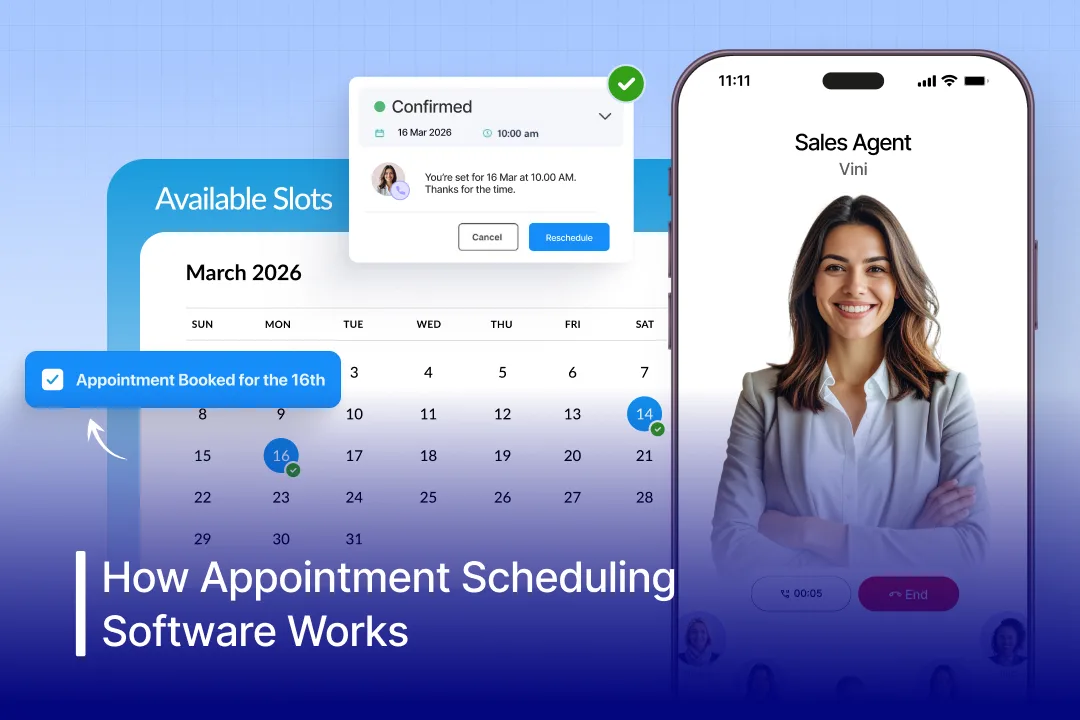
Customers can book appointments on their own through your website or booking link. They can simply choose the service, pick a date & time, and confirm the slot without waiting at counters for hours. This makes booking appointments easy and available 24/7, avoiding back-and-forth emails and follow-ups.
2. Calendar Synchronization
The software smoothly connects with your existing calendars, such as Google or Outlook. So whenever you receive a new booked appointment, it automatically updates all calendars in real-time. This helps in preventing double bookings and keeps everyone on the same page.
3. Automated Notifications
Whenever a customer books an appointment, the software automatically sends an automated confirmation message through email or SMS. It also sends reminders before the appointment time. This reduces no-shows and keeps customers informed without manual follow-ups.
4. Time Zone Management
Appointment scheduling software automatically adjusts appointment times based on time zones for businesses serving customers in different locations. Customers can see availability in their local time, avoiding confusion and missed meetings.
5. Payment Integration
Many appointment scheduling software allow customers to pay while booking an appointment. They get the flexibility to pay either full fees or deposits securely online. This confirms serious bookings, reduces last-minute cancellations, and enhances your business cash flow.
Need for Appointment Scheduling Software In Automotive Businesses
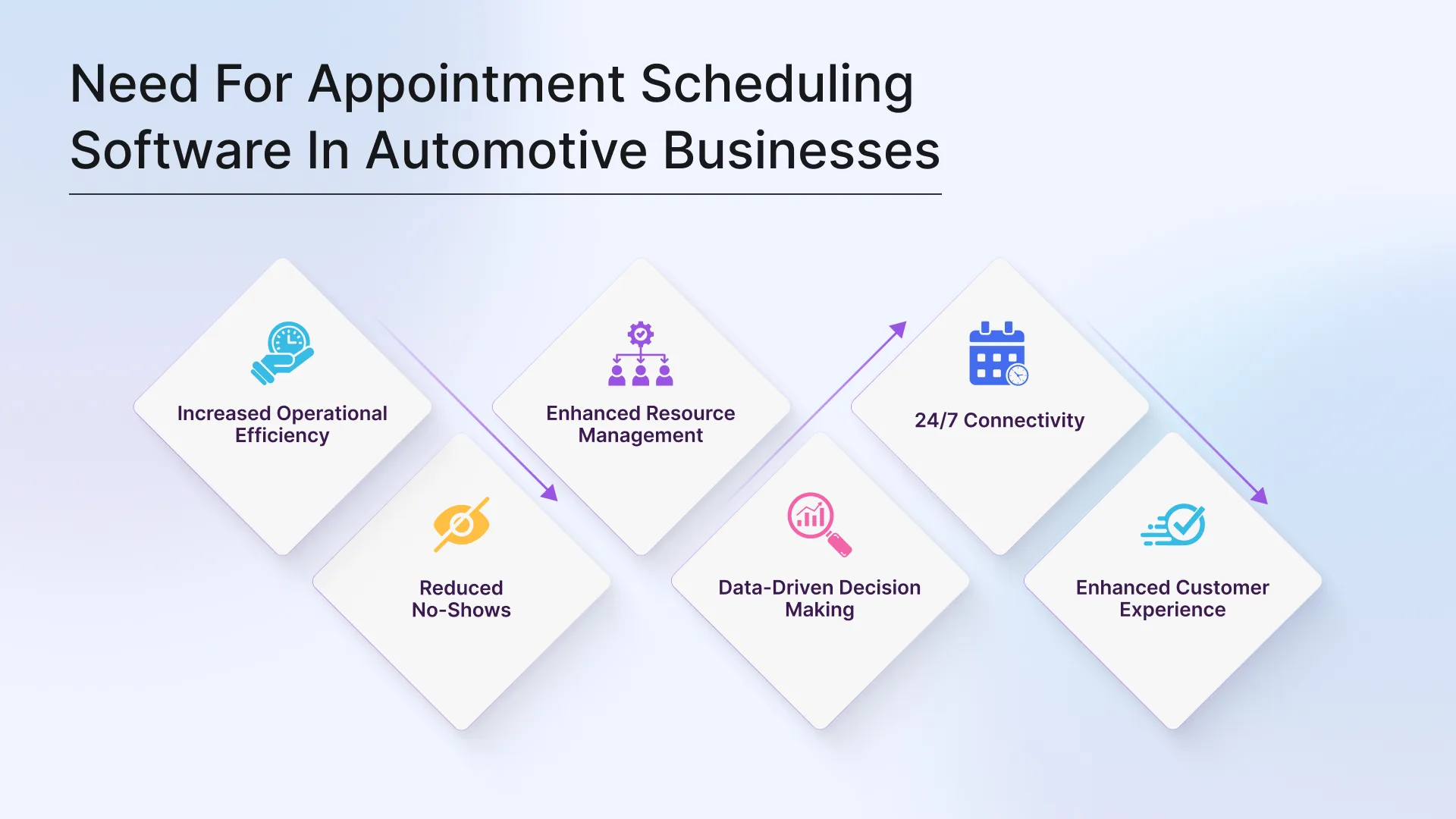
When most auto buyers are online, having online appointment scheduling software is essential for automotive dealers. There are numerous benefits of appointment scheduling software for automotive businesses, and it helps them with:
1. Increased Operational Efficiency: Online appointment scheduling software eliminates manual work, reducing human interference by around 80%, allowing your staff to focus on other important things like handling paperwork and more.
2. Reduced No-Shows: The automated booking appointment system constantly sends reminders to customers through email and SMS. This helps reduce no-show rates for dealerships.
3. Enhanced Resource Management: Automated business appointment scheduler systems automatically match specific service needs with qualified technician availability and enhance your dealership’s workflow.
4. Data-Driven Decision Making: The CRM appointment scheduling software provides you with a comprehensive report, including insights into business operations, service popularity, and customer behavior.
5. 24/7 Connectivity: The always-on AI receptionist for car dealerships allows you to connect with your potential buyers 24/7, even after business hours or during holidays, allowing them to book appointments at their convenience. This ensures that no opportunity slips away.
6. Enhanced Customer Experience: Online scheduling services also nurture and guide customers by answering their inquiries. Quick and personalized responses to buyers’ inquiries around the clock deliver an enhanced customer experience.
How Appointment Scheduling Software Works for Automotive Businesses?
Curious about how automotive scheduling software works? Well, there aren’t any complexities. It works much like any other scheduling system, such as automating bookings 24/7 for customers. The key difference is that it’s specially built for automotive businesses. The software understands automotive service workflows, vehicle details, technician availability, and customer needs. This allows AI to manage bookings more accurately, streamline operations, and help your dealership schedule more appointments with less manual effort.
1. Self-Service Booking
Auto buyers can easily book appointments from their convenience through the website, Google Business Profile, or social media without physically visiting dealerships. The software allows buyers to select services, see real-time availability, and choose a time slot that suits their preferences.
2. Customer/Vehicle Data Entry
Whenever buyers book an appointment, they fill in some required information, such as their contact details and vehicle details. The software automatically updates this information to your CRM, allowing your staff to prepare for specific service needs and engage with customers effectively.
3. Automated Technician & Bay Allocation
The web scheduling software automatically verifies technician availability and workshop capacity before confirming an appointment. It assigns resources efficiently and can adjust in real time for walk-ins or unexpected delays, helping prevent overbooking and scheduling conflicts.
4. Automated Confirmation Notification
Once the appointment is successfully scheduled, the system instantly notifies customers by sending a confirmation message via email, SMS, or WhatsApp through contact management software for car dealerships. This assures customers that their booking is confirmed and provides booking details, including date, time, and service type.
5. Reminders Notifications
An online appointment management system sends automated reminders to customers. These reminders help reduce no-shows and give customers the option to reschedule or cancel if needed. This keeps your schedule and staff organized and reduces last-minute disruptions.
6. Workflow Integration
After booking, the appointment is automatically added to a centralized digital calendar. It connects with your CRM, inventory, and billing systems to ensure smooth operations. This helps managers track service history, allocate tasks efficiently, and maintain better coordination across departments.
Why is Spyne’s Appointment Scheduling Software the Best Choice For Your Automotive Business?
When choosing the right appointment scheduling software for your business, it is important to understand that not all software is built the same. Generic software can help you book appointments, but they don’t know how a dealership or service workshop operates. That can drop your business efficiency. This is where Spyne steps in and bridges that gap.
1. Specifically Built for Automotive Businesses
Our appointment scheduling software is specifically designed for automotive businesses, which makes it easy to understand automotive workflows, vehicle details, service types, and technician roles. This industry-specific approach ensures smoother operations and more accurate scheduling.
2. AI-Powered Automaton
Spyne uses an advanced AI to automate appointment bookings, confirmations, reminders, and follow-ups. This reduces manual effort for your staff and ensures that every customer inquiry is handled instantly, even after business hours or peak hours.
3. Real-Time Intent Insights
Our conversational AI analyzes customer interactions and understands buyer intent, requirements, and preferences in real-time. This helps your team to prioritize high-intent customers, respond faster with personalized responses, and convert more inquiries into confirmed appointments.
4. Smooth CRM Integration
Our AI-powered services scheduling software automatically syncs all appointment data, customer details, vehicle information, and conversation history with your CRM. This keeps all records updated and eliminates data silos, enabling more personalized customer engagement.
5. Smart Resource & Workflow Management
Our online scheduling services intelligently assign appointments based on technician availability, skill sets, and workshop capacity. This prevents overbooking, balances workloads, and keeps your service operations running efficiently.
6. 24/7 Lead Capture & Booking
With Spyne, you connect with your customers 24/7, allowing them to book an appointment anytime from anywhere. This ensures that every opportunity coming to your dealership gets equal attention, even after business hours or during holidays.
7. Enhanced Customer Experience
Our AI-powered automotive chat software helps you deliver an enhanced customer experience through personalized and human-like interactions, instant confirmations, timely reminders, and proactive updates.

Conclusion
Having an appointment scheduling software is no longer just an option for businesses. It is a necessity that helps capture more leads and book more appointments effectively through automation. Further, knowing how appointment scheduling software works helps you get the most out of it. From self-service booking and calendar synchronization to automated reminders and CRM integration, it simplifies the entire appointment process.
For automotive dealerships, the impact is even greater. With smart technician allocation, real-time updates, and AI-driven automation, scheduling software helps manage workshop capacity, reduce no-shows, and boost service revenue. Choosing the right solution, like Spyne, ensures your dealership stays connected 24/7, captures every opportunity, and delivers a faster, smarter, and more personalized customer journey. Book a demo and see for yourself how Spyne’s AI-powered appointment scheduling software can boost your appointment booking and help your business scale and grow faster.